GPT Image2.5

在 Sunra 上用 GPT Image 2.5 生成圖片。OpenAI 全新的 Flare(快速)與 Sunburst(精準編輯)模型,延遲比 GPT Image 2 最多低 50%,每日免費額度就能開始。

試用 GPT Image 2.5

為什麼選擇 GPT Image 2.5

OpenAI 在 2026 年 9 月 8 日推出 ChatGPT Images 2.5,同時提供兩個 API 模型:GPT-Image-2.5 Flare 負責日常的快速高品質生成,GPT-Image-2.5 Sunburst 則專攻編輯精準度最關鍵的工作流程。兩者都已在 Sunra 上線 — 要速度就選 Flare,編輯必須分毫不差時就用 Sunburst。

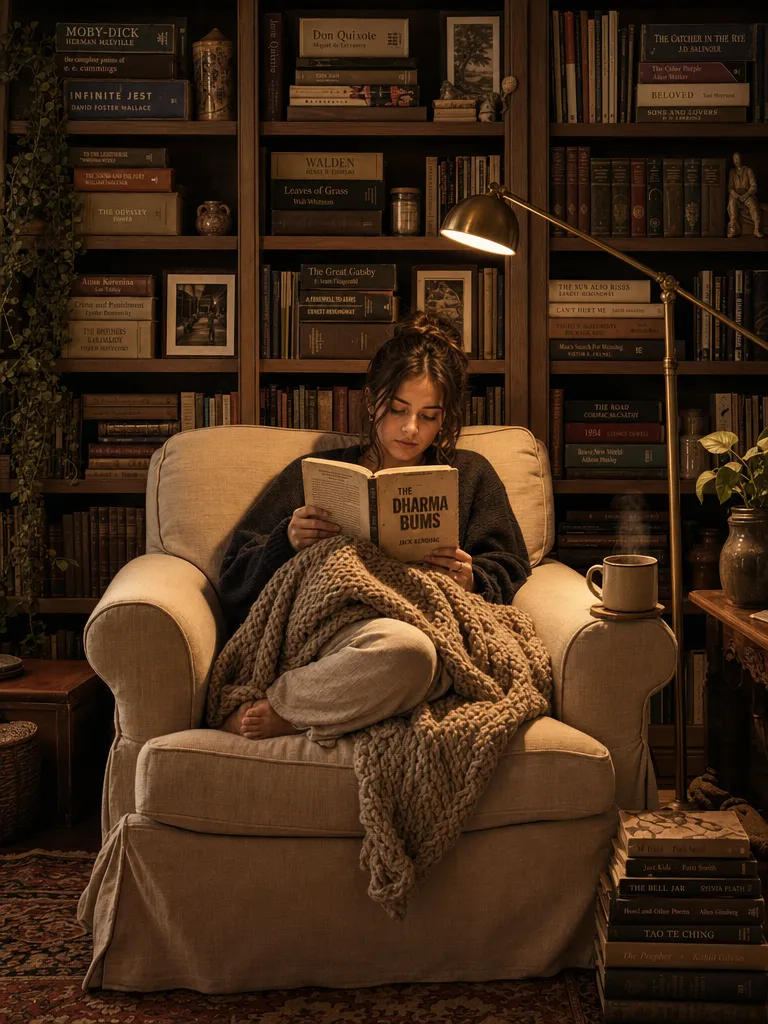
A straight-on medium shot of a young woman curled up in an oversized linen armchair, holding a worn paperback with the cover facing out, bare feet tucked under a chunky knit throw. Behind her a floor-to-ceiling bookshelf packed with mismatched spines, a brass reading lamp casting a tight warm pool of light on the pages. The rest of the room falls into soft amber shadow. A half-drunk mug of tea on the armrest, steam barely visible. Wide depth of field keeps every book spine legible. The mood is quiet, solitary, golden-hour domestic. HEX VALUES: ["#1a1208", "#3d2e1a", "#8c7a5e", "#c4a87a", "#e8d4b0", "#f5ead8", "#5c4a30"]

兩個模型、兩種任務:Flare 與 Sunburst

OpenAI 把 2.5 這一代拆成兩個模型:gpt-image-2.5-flare 是多數情境的預設選擇,gpt-image-2.5-sunburst 則為編輯精準度最重要的高階視覺工作流程而生。日常用 Flare;願意用較長的生成時間換取跨編輯的嚴格掌控時,就換 Sunburst。兩者都排在 Sunra 模型選單裡 GPT Image 2 的旁邊,切換只要一次點擊,不必另外註冊帳號。

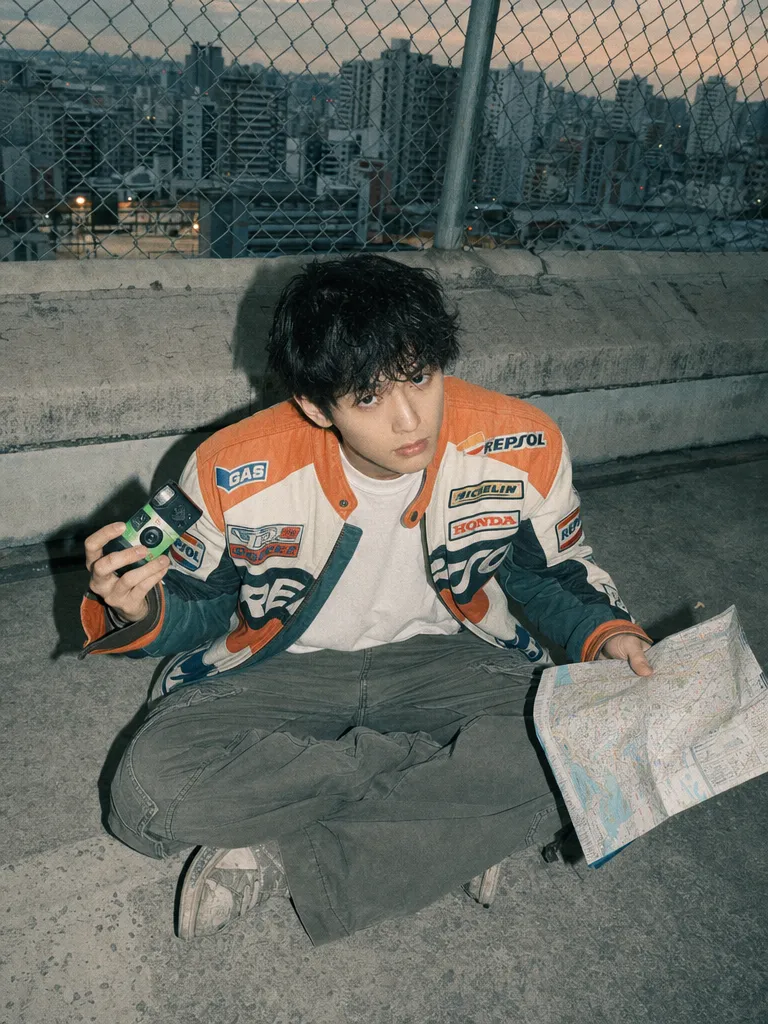
High angle snapshot of a young man in a vintage racing jacket and loose cargo pants, sitting cross-legged on a concrete rooftop, a disposable camera in one hand and a crumpled city map in the other. Hard direct on-camera flash bathes the scene in flat, shadowless light reminiscent of a 2000s digicam. Behind him a chain-link fence and a blurred skyline of apartment blocks at dusk. The color palette is desaturated teal, concrete grey, faded orange, and off-white, giving the image a washed-out lo-fi editorial aesthetic. Grain visible at pixel level. HEX VALUES: ["#2b3a3d", "#5c6b6e", "#8a9590", "#c4bfb3", "#d98c5f", "#f0e6d8", "#1a1a18"]

延遲最多降低 50%

OpenAI 表示,Images 2.5 的圖片生成延遲比 Images 2.0 最多降低 50%,而 Flare 能以低 50% 的延遲產出比 GPT Image 2 更高品質的圖片。同一段時間能多試幾輪,差別就在於你是探索了五個方向,還是只能將就第一張堪用的結果。
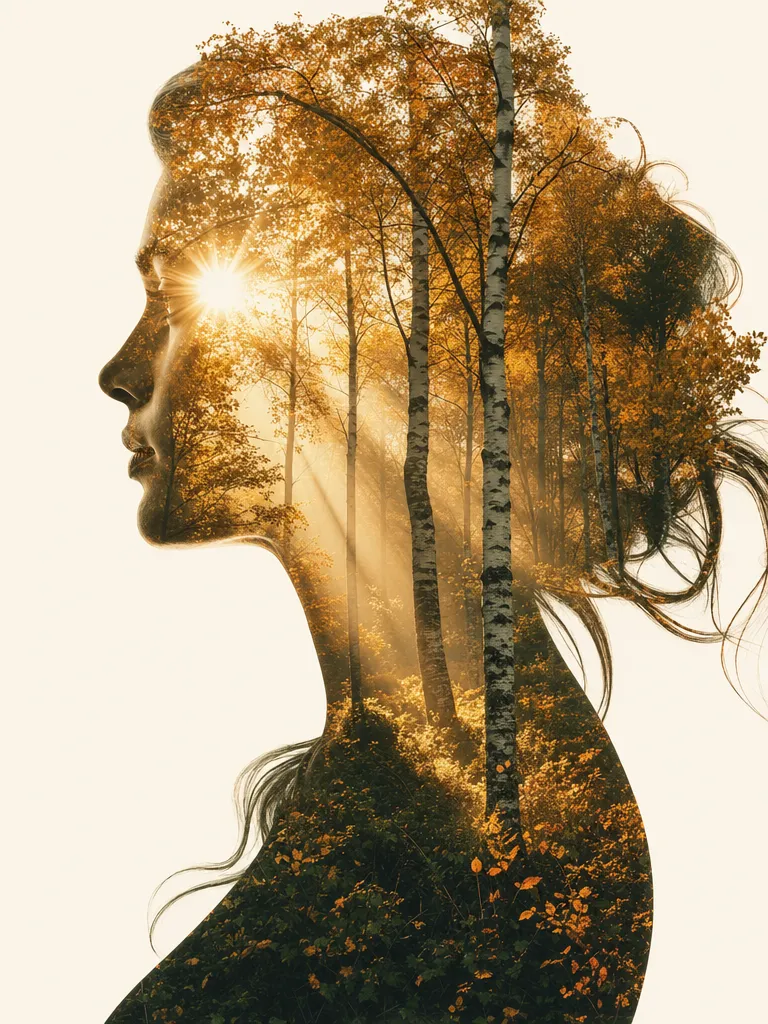
Double exposure portrait — a woman's side profile silhouette filled with a dense autumn forest, golden birch leaves and slanting afternoon light visible within the outline of her face and flowing hair. The background outside the silhouette is pure cream white. Where her eye would be, a gap in the canopy lets a sunburst through. Fine art print quality, high contrast between the warm forest interior and the clean negative space. The overall palette is ivory, amber, burnt sienna, and deep forest green. HEX VALUES: ["#f5f0e8", "#d4a040", "#b87830", "#8a5a28", "#3a5030", "#1a2a18", "#e8d4b0"]

參考照片的主體不會走樣

2.5 更能保住參考照片裡的主體。附上最多 16 張參考圖片,你一開始給的臉孔、產品或品牌元素在生成後依然認得出來。編輯之後拿回「很像但不是同一個人」的老問題,正是這一代要解決的重點。
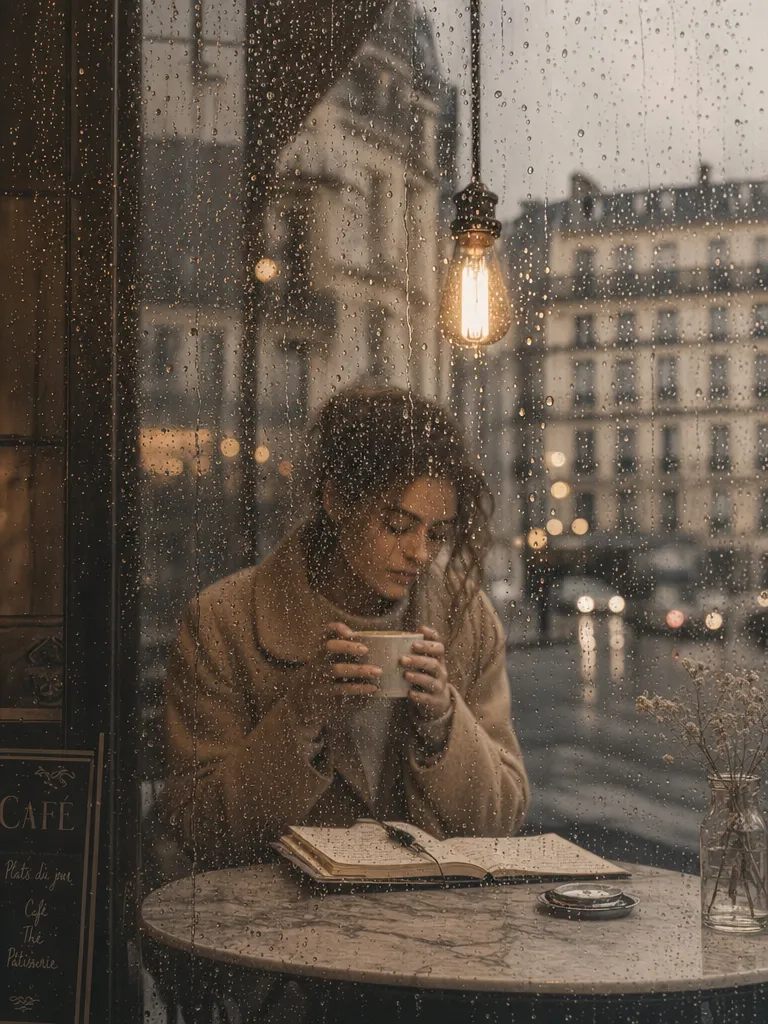
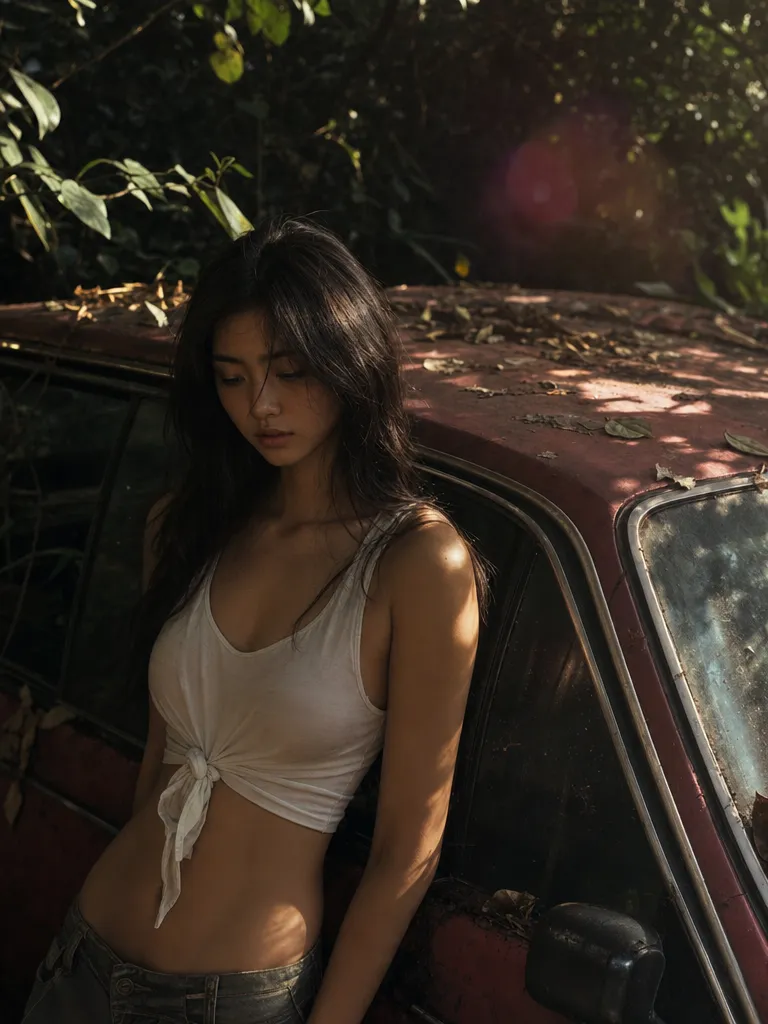
Medium shot through a rain-streaked café window — inside, a young woman in a camel wool coat sits alone at a marble table, both hands wrapped around a ceramic latte cup, gazing down at an open Moleskine notebook. The window glass is covered in rain droplets that catch and scatter the warm interior light into tiny bokeh orbs. Outside is a blurred grey Parisian streetscape. The camera focuses on the rain drops on the glass, leaving the woman in a soft dreamy focus just behind. A single pendant Edison bulb hangs above her. The palette is muted: warm caramel, dove grey, and cream. HEX VALUES: ["#3a3530", "#6a5e52", "#a08e78", "#c4b098", "#e0d4c4", "#8a8078", "#f0e8dc"]

只改你要求的地方

模型在多輪對話裡更確實地遵循編輯指示:只更動你指定的元素,其餘保持原樣;先前的編輯結果也能在長對話中延續而不劣化。OpenAI 點名處理這種反覆、精細作業的變體就是 Sunburst。

如何使用 GPT Image 2.5

  1. 開啟 GPT Image 2.5

    登入後,Sunra 會自動選好 GPT Image 2.5。新帳號每天都有免費點數,無需綁卡。

  2. 加入參考

    可選:加一張要修改的照片,或用參考圖指定風格、產品或要保持一致的人臉。只寫文字也可以。

  3. 描述畫面

    寫清楚畫面裡有什麼、風格、光線和構圖。需要出現在圖裡的文字,用引號括起來。

  4. 生成並調整

    選好畫面比例,然後生成。結果會出現在你的專案裡:留下最好的一張,用新的提示詞繼續修改,或者把它做成影片。

常見問題

GPT Image 2.5 可以免費使用嗎?

可以。在 Sunra 上,每日免費額度就包含 GPT Image 2.5 的 Flare 與 Sunburst。用量更大時,會從你的錢包餘額或訂閱額度扣除,開始使用不需要信用卡。至於 ChatGPT 本身,Images 2.5 正陸續開放給 ChatGPT、ChatGPT Work 與 Codex 的各級使用者。

沒有 OpenAI 帳號怎麼用 GPT Image 2.5?

開啟 Sunra Image,在模型選單中挑 GPT Image 2.5 Flare 或 Sunburst,寫下指令就能生成。模型由 Sunra 代為執行,所以不必申請 API 金鑰、不必通過組織驗證,也不必另外訂閱 OpenAI。

Flare 和 Sunburst 怎麼選?

OpenAI 說 Flare 是多數情境的預設選擇:以低 50% 的延遲產出比 GPT Image 2 更高品質的圖片,適合創作者與社群內容、產品體驗、原型製作與大量生成。Sunburst 則是給需要跨編輯嚴格掌控的高階工作流程 — 行銷素材與精緻產品視覺 — 代價是生成時間較長。先從 Flare 開始,等到某次編輯必須分毫不差時再換 Sunburst。

GPT Image 2.5 比 GPT Image 2 進步在哪?

根據 OpenAI:延遲最多降低 50%、更能保留參考照片中的主體、在多輪編輯中更穩定地遵循指示、更自然的光線與更豐富的質感、更準確地呈現真實世界資訊、視覺風格更一致,以及更能處理包含透明背景的複雜版面。token 價格維持不變。想對照的話,GPT Image 2 仍然留在 Sunra 上。

GPT Image 2.5 要多少錢?

OpenAI 為 Flare 與 Sunburst 列出的價格相同,也和 GPT Image 2 一致:每 100 萬 token 文字輸入 $5.00、圖片輸入 $8.00、圖片輸出 $30.00(快取輸入 $1.25 與 $2.00)。在 Sunra 上,你為每張圖片支付額度,金額由長寬比、解析度(1K–4K)與品質等級決定,生成前就會顯示;目前費率請見價格頁面。

GPT Image 2.5 有哪些品質設定?

共五檔:low、medium、high(預設)、xhigh 與 max。等級愈高,細節、延遲與 token 用量都會增加;每一檔的額度費用,都會在你按下生成前顯示在選單裡。

GPT Image 2.5 和 ChatGPT Images 2.5 是同一個東西嗎?

同一代,兩個入口。ChatGPT Images 2.5 是你在 ChatGPT 應用程式裡用到的版本;GPT-Image-2.5 Flare 與 Sunburst 則是開發者與 Sunra 這類平台透過 API 呼叫的模型代號。並不存在單純叫做「gpt-image-2.5」的模型,每一次 API 呼叫都得指名 Flare 或 Sunburst。

@Sketch 是什麼?

@Sketch 是隨 Images 2.5 一起推出、只在 ChatGPT 裡才有的功能:你可以在對話中畫出粗略的視覺參考,套用海報、周邊商品等版型範本,直接在生成的圖片上留言來引導下一次修改,還能把指令分享出去讓別人沿用。它屬於 ChatGPT 這項產品而不是 API 模型,因此不會延伸到第三方平台。

GPT Image 2.5 支援透明背景嗎?

支援。OpenAI 把包含透明背景的複雜版面列為改進項目,模型本身也接受透明背景選項。產品去背圖、貼紙與 UI 元素產出後就能直接合成,不必再跑一次去背。

GPT Image 2.5 和 Nano Banana Pro 比起來如何?

GPT Image 這一系在指令遵循、圖片內文字與品牌色彩準確度上領先;Nano Banana Pro 則擅長外科手術式的局部編輯與多張參考圖融合。2.5 主打的參考忠實度與多輪編輯精準度,正好踩進後者的地盤,值得重新跑一次你自己的編輯測試。兩者都在 Sunra 上,比較起來只差一個輸入框。

可以把 GPT Image 2.5 的圖片轉成影片嗎?

可以。在 Sunra 生成圖片後,用圖片轉影片搭配 Kling 3.0 或 Seedance 2.0 等模型讓它動起來,整套流程都在同一個平台上完成。

OpenAI 出品的 GPT Image 2.5

每日免費點數即可開始,無需信用卡。

探索其他模型