GPT Image2

在 Sunra 上免费使用 GPT Image 2(ChatGPT Image 2):无需 OpenAI 账号或 API key,输入提示词即可生成和编辑图像,每天都有免费额度,最高 4K。

试用 GPT Image 2

为什么选择 GPT Image 2

GPT Image 1.5 的继任者:更锐利的细节、更可靠的构图、以及在编辑中真正保持稳定的主体保真度。输入提示词就能直接出图,最高可到 4K。

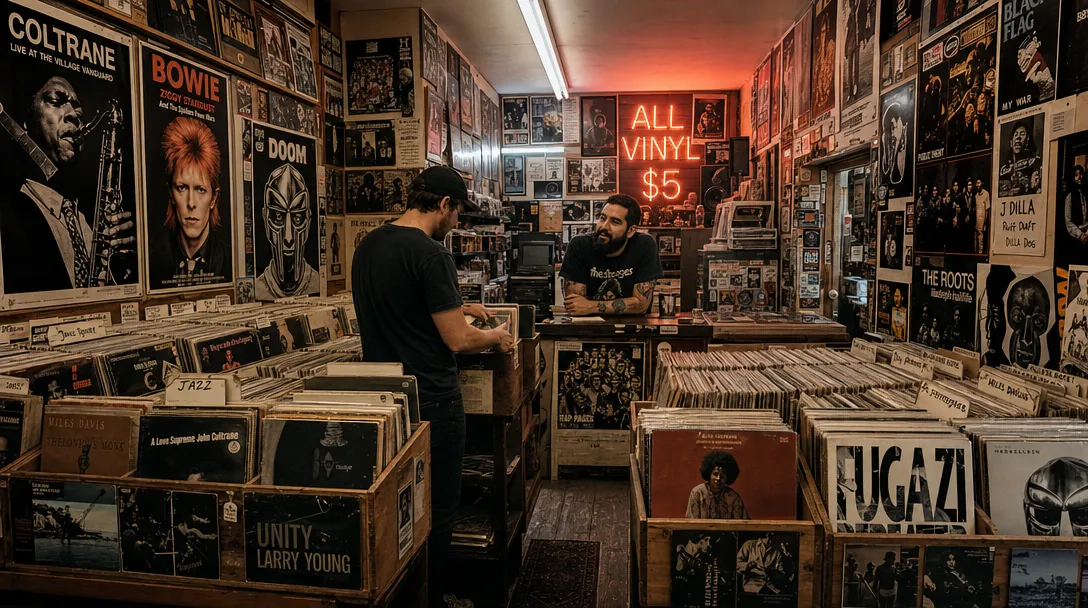
Wide-angle interior of a cramped vinyl record shop, shot from hip height looking down a narrow aisle of wooden crates stuffed with LPs. A neon sign reading 'ALL VINYL $5' glows pink-orange in the back corner. A bearded shop owner in a faded band tee leans on the counter, mid-conversation with a customer flipping through jazz records. Overhead fluorescent tubes mix with the neon to create a split warm-cool lighting. Posters for Coltrane, Bowie, and MF DOOM cover every inch of wall space. The image has a wide depth of field, capturing every album spine and poster detail. HEX VALUES: ["#0d0a08", "#2a1f1a", "#5e4535", "#e8754a", "#f5c29e", "#8b7e72", "#c2b8a8"]

如同经过艺术指导的美学品质

GPT Image 2 渲染的光线、质感和构图,看起来是刻意设计而非 AI 生成的。默认输出足够好,大多数创意需求一次出稿即可,无需反复调试。

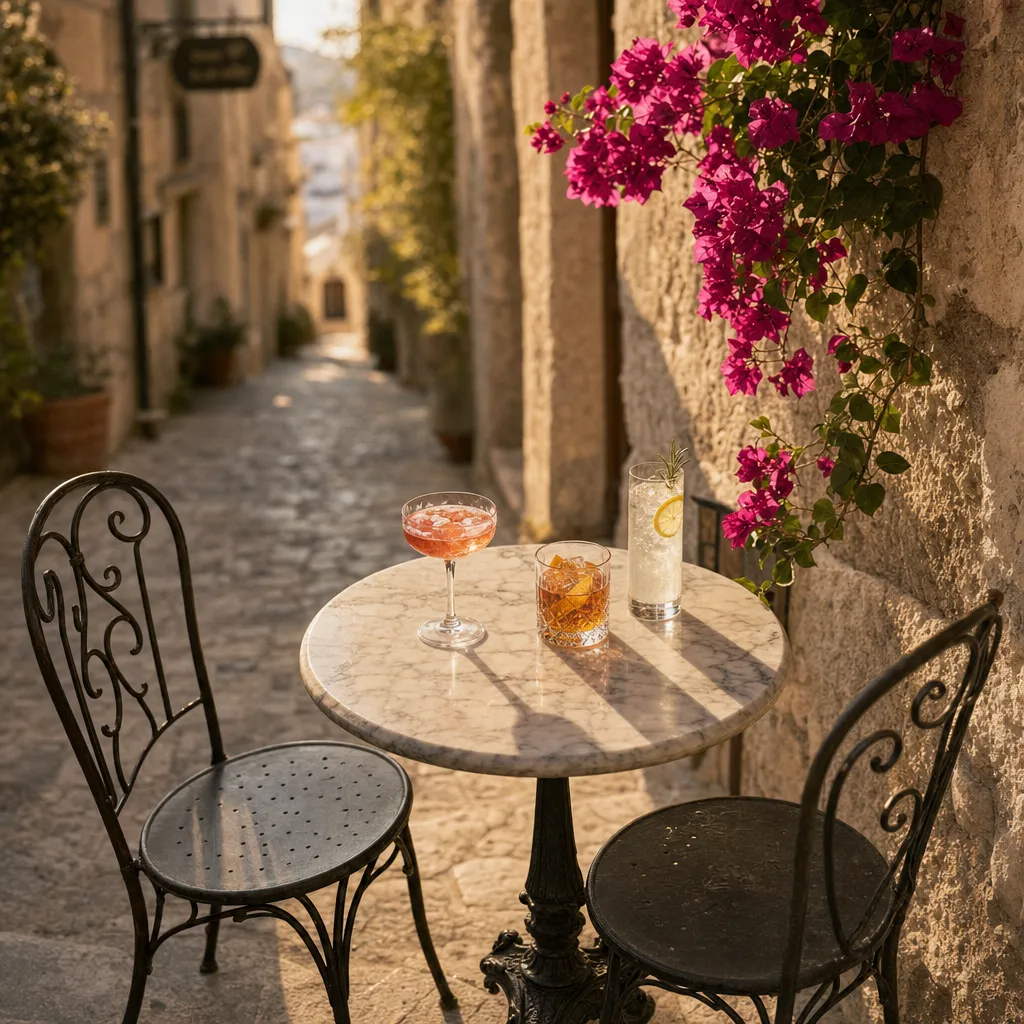
Overhead three-quarter angle of a small round marble bistro table wedged into a narrow Mediterranean stone alley. Three cocktails in different glassware — a coupe with a pink Aperol spritz, a rocks glass with an amber old fashioned, a tall collins with a clear gin fizz — each casting soft shadows on the table. Two wrought-iron chairs pulled back as if the drinkers just stepped away. Bougainvillea creeping down the limestone wall on the right. Late afternoon light rakes across the alley at a low angle, warming the stone to honey. Shallow depth of field blurs the alley beyond into a sunlit haze. HEX VALUES: ["#7b6d65", "#403b37", "#56514b", "#877a72", "#706056", "#acaa9a", "#d4c3a8"]

提示词遵循无需反复调试

多主体场景、指定姿势、精确色彩方案、图像内可读文字——GPT Image 2 能完整解析整个提示词,而不是只挑简单的部分执行。在 与其他生成器对比同一提示词即可看出差异。

Hyper-realistic product photograph of a single white leather sneaker with a gum sole, placed on a raw concrete block, floating 2cm above a polished black surface with a perfect mirror reflection. A single soft directional studio light from the upper left creates a gentle gradient across the shoe and a crisp shadow trailing to the right. The background is a seamless matte charcoal grey. Every stitch, perforated panel, and texture on the gum sole is in tack-sharp focus. Clean, minimal, e-commerce hero aesthetic. HEX VALUES: ["#1a1a1a", "#333333", "#f0ede8", "#d4cfc5", "#c4a060", "#e8e0d0", "#2a2a2a"]

跨编辑主体保真度

上传参考图并迭代。GPT Image 2 在编辑过程中保持面孔、产品或品牌元素的稳定——没有偏差,没有"看着像但不是同一个人"。

Architectural exterior of a brutalist concrete public library at golden hour — massive cantilevered reading rooms jutting out over a reflecting pool, raw board-formed concrete texture catching the low sun. A single figure walks along the pool edge, casting a long shadow. Young birch trees planted in a geometric grid soften the hardscape. The sky is clear gradient from deep blue at the top to warm apricot at the horizon. Shot with a tilt-shift lens giving a subtle miniature effect at the edges. HEX VALUES: ["#1e2a3a", "#3a5572", "#7a8a92", "#b4b0a4", "#d4c8a0", "#e8b870", "#f0dcc0"]

双端点,同一模型

文生图和图像编辑在 Sunra 上共用同一模型。上传最多 10 张参考图进行合成编辑,或从空白提示词开始——两种方式的质量底线相同。然后 一键将最佳图像转为视频,无需离开平台。

如何使用 GPT Image 2

  1. 打开 GPT Image 2

    登录后,Sunra 会自动选好 GPT Image 2。新账户每天都有免费积分,无需绑卡。

  2. 添加参考

    可选:加一张要修改的照片,或用参考图指定风格、产品或要保持一致的人脸。只写文字也可以。

  3. 描述画面

    写清画面里有什么、风格、光线和构图。需要出现在图里的文字,用引号括起来。

  4. 生成并调整

    选好画面比例,然后生成。结果会出现在你的项目里:留下最好的一张,用新的提示词继续修改,或者把它做成视频。

常见问题

GPT Image 2(ChatGPT Image 2)与 GPT Image 1.5 有什么不同?

GPT Image 2 升级了提示词遵循、构图稳定性和跨编辑的主体保真度。如果你已经在用 上一代,GPT Image 2 是直接替换升级——相同操作界面,更好的输出。我们的 详细对比 覆盖了各个维度。GPT Image 2 在 OpenAI 那边也写作 ChatGPT Image 2。

GPT Image 2 怎么用?支持图像编辑吗?

支持。怎么用很简单:在模型列表里选择 GPT Image 2,输入提示词就能生成;要编辑就上传最多 10 张参考图并描述修改内容,GPT Image 2 会自动调用图像编辑端点,无需选择单独的模型。GPT Image 2 的官网是 openai.com,而在 Sunra 上不需要 OpenAI 账号或 API key,由 Sunra 代为运行模型。

它和 Nano Banana Pro 相比如何?

GPT Image 2 在指令遵循、图像内文字和品牌色准确度方面领先。Nano Banana Pro 在精准局部编辑和多参考图融合方面仍然领先。大多数团队两者兼备。

GPT Image 2 和 Midjourney V8.1 该选哪个?

GPT Image 2 在提示词精度、文字渲染和品牌色准确度方面胜出。Midjourney V8.1 在电影感氛围和美学默认效果方面胜出。商业/品牌工作用 GPT Image 2;编辑和艺术探索用 V8.1。

可以控制质量、分辨率和背景吗?

可以。在 Sunra 上,GPT Image 2 提供 low、medium、high(默认)三个质量层级,以及 1K、2K、4K 输出。层级越低消耗的额度越少,草稿用低层级,定稿再切回 high 即可;生成前会显示所需额度。背景固定为 auto,由模型根据提示词判断——透明背景见下一题。

GPT Image 2 支持透明背景吗?

支持。GPT Image 2 可以原生生成透明背景的图像——适用于产品抠图、贴纸和合成工作流。

输出可以商用吗?

可以。通过 Sunra 生成的所有内容均根据我们的服务条款授权用于商业用途。

在 Sunra 上使用 GPT Image 2 需要多少钱?可以免费使用吗?

每日免费额度包含 GPT Image 2,可以直接免费使用。超出每日免费额度的部分会从钱包余额或 订阅额度 中扣除。无需信用卡即可开始使用。

GPT Image 2 生成的图片可以转为视频吗?

可以。生成图像后,点击 图片转视频 按钮,使用 Kling 3.0 或 Seedance 2.0 等模型制作动画。整个工作流程都在 Sunra 上完成。

GPT Image 2 和 Seedream 5.0 相比如何?

Seedream 5.0 擅长视觉推理和多主体构图。GPT Image 2 在图片内文字准确度、品牌色保真度和多参考图编辑方面领先。两者都是顶级模型——根据具体任务选择。

OpenAI 出品的 GPT Image 2

每日免费积分即可开始,无需信用卡。

探索其他模型