自然語言物件定位
用自然語言描述要編輯的物件:「左邊桌子上的咖啡杯」或「圍欄後面的紅色汽車」。Nano Banana Pro 使用 Gemini 3 Pro 的語言理解來定位精確的物件——無需座標輸入、邊界框或遮罩。

精準物件編輯讓你使用自然語言指令修改圖像中的特定元素——「把紅色汽車換成藍色卡車」或「移除背景中的人」——無需手動繪製選取遮罩或圖層邊界。模型在內部辨識目標區域,推理編輯在給定周圍環境(光照、透視、陰影)下應該如何呈現,並無縫合成更改。這與基於遮罩的編輯(Photoshop 生成填充,需要先勾勒目標區域)和全圖重新生成(整張圖像被重新生成)形成對比。
用自然語言描述要編輯的物件:「左邊桌子上的咖啡杯」或「圍欄後面的紅色汽車」。Nano Banana Pro 使用 Gemini 3 Pro 的語言理解來定位精確的物件——無需座標輸入、邊界框或遮罩。
模型在編輯前使用思維鏈推理步驟:辨識目標物件、分析周圍環境(光照角度、透視、陰影方向),並規劃編輯以匹配。這個推理步驟減少了陰影不匹配或透視破壞等物理上不可能的編輯。
三種編輯類型:用其他東西替換物件(「把檯燈換成蠟燭」)、完全移除物件(「移除浮水印」),或修改屬性(「把汽車從紅色改成藍色」)。每種操作都逐像素保留未觸及的部分。
編輯包含人物的圖像時,Nano Banana Pro 對場景中最多 5 個角色和 14 個不同物件保持身份一致性。編輯一個角色的服裝不會影響其他人的外觀。
編輯尊重圖像現有的光照、透視和材質屬性。將木桌替換為玻璃桌,反射、陰影和周圍物件都會更新以匹配新材質的物理特性。
前往 Sunra Image,從模型下拉選單中選擇 Nano Banana Pro。切換到編輯模式。
上傳你想修改的圖像。支援格式:PNG、JPG、WebP。更高解析度的圖像為精確編輯提供更多情境。
用自然語言描述編輯。具體說明目標和期望的更改:*「將椅子上的紅色背包替換為棕色皮質信差包。保持其他一切不變。」*
點擊 生成 並將結果與原始圖像對比。放大編輯區域檢查邊緣混合、陰影一致性和透視準確性。
如有需要,對結果進行額外編輯——更改另一個物件、調整顏色或精修第一次編輯。每次編輯在前一次的輸出基礎上構建。
無論你是獨立創作者、設計團隊還是品牌方,每個模型都能適應你的工作方式。
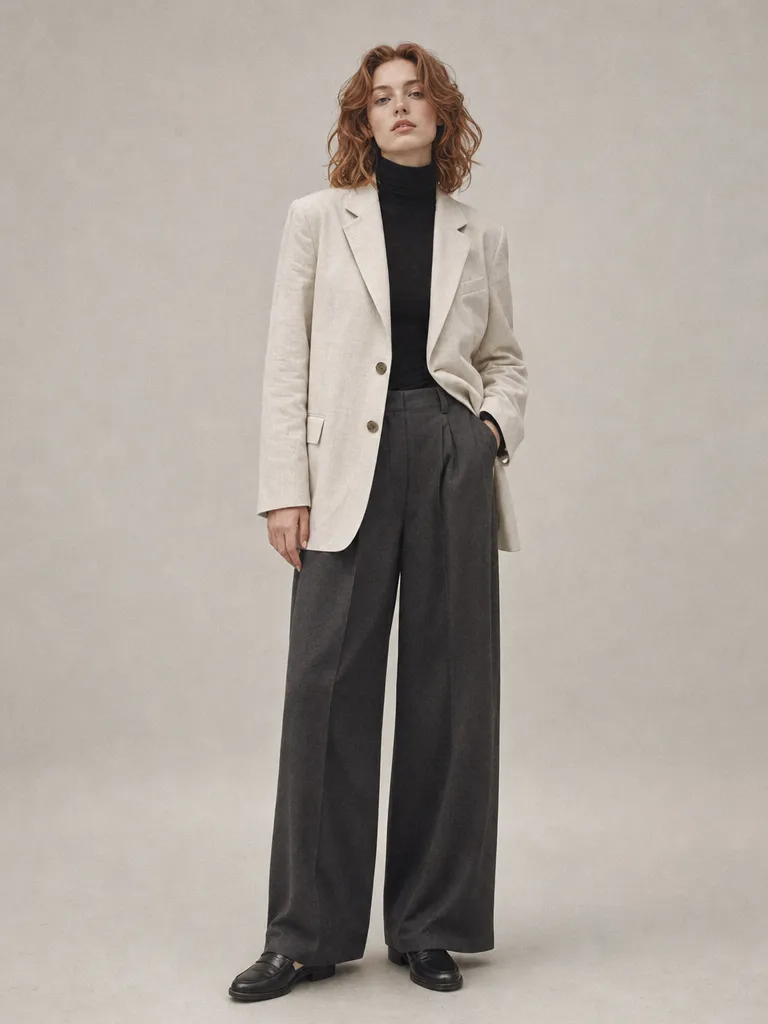
Studio editorial portrait
Replace the plain gray studio backdrop with a floor-to-ceiling window overlooking a rainy cityscape. Match the soft key light already on the subject. Keep the model's pose, outfit, and expression unchanged.
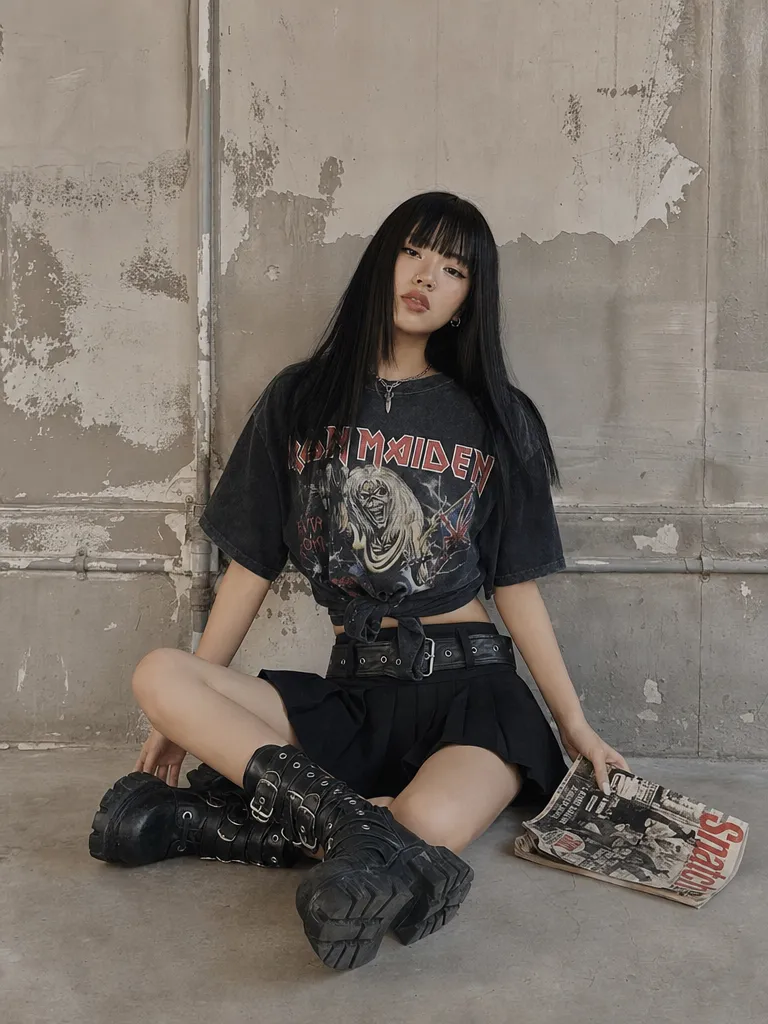
Industrial grunge editorial
Remove the graffiti tags on the concrete wall behind the subject. Fill with clean raw concrete texture matching the existing grain and weathering. Do not alter the person or their clothing.
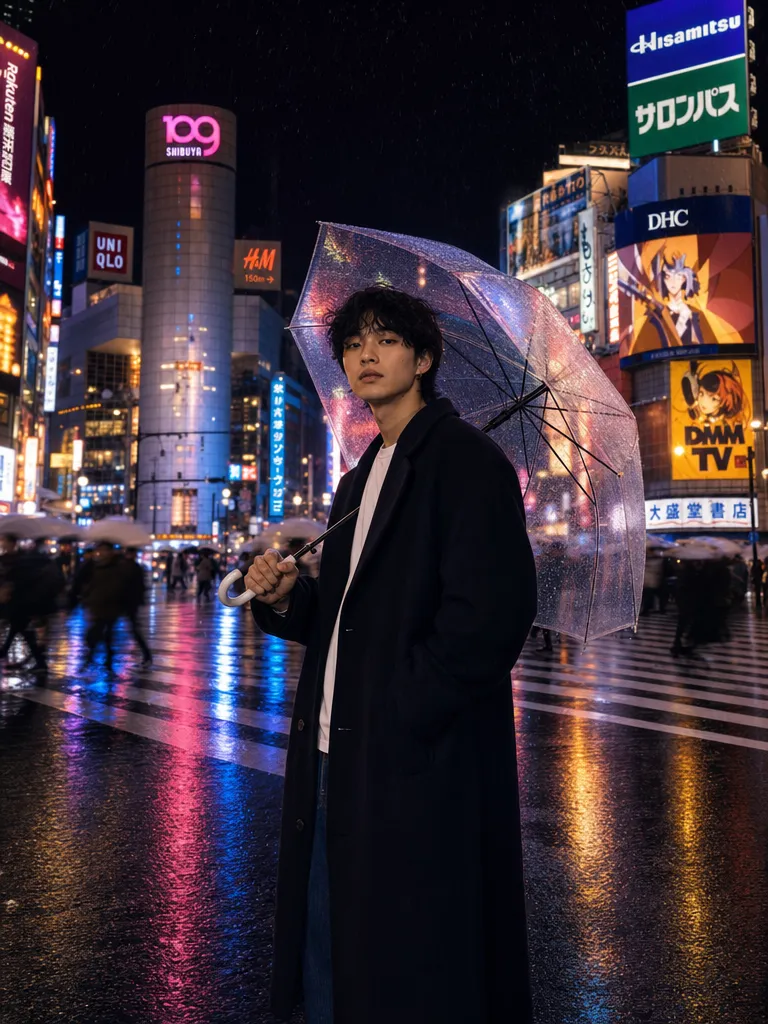
Rainy Shibuya night portrait
Replace the umbrella the person is holding with a translucent neon-pink umbrella that casts a soft pink glow on their face. Keep the rain, reflections, and Shibuya background unchanged.
Replace the white sneakers with the same model in matte black. Keep the laces white. Maintain the same lighting, angle, and surface texture. Everything else in the image stays identical.
模型:Nano Banana Pro · 模式:編輯 · 推理:思考模式
Remove the water bottle from the desk. Fill the area with the same wooden desk surface, matching the grain direction and lighting. Do not change anything else in the image.
模型:Nano Banana Pro · 模式:編輯 · 推理:思考模式
Replace the potted succulent on the windowsill with a small bonsai tree. Match the pot style to a dark ceramic. The bonsai should cast a shadow consistent with the window light direction.
模型:Nano Banana Pro · 模式:編輯 · 推理:思考模式
Change the woman's hair color from blonde to dark auburn. Keep the hairstyle, length, and texture exactly the same. Do not change her face, clothing, or any other part of the image.
模型:Nano Banana Pro · 模式:編輯 · 推理:思考模式
從單次拍攝生成產品顏色變體。「把沙發面料從灰色改成海軍藍」或「把木腿換成鍍鉻」。無需重新拍攝、無需 3D 算繪——只需描述變體。
修改已佈置的照片而無需重新佈置:更換家具、改變牆面油漆顏色或移除個人物品。每次編輯保留房間的光照和透視,使結果看起來像實拍而非合成。
為不同市場調整行銷圖像:「將英文招牌替換為日文文字」或「替換當地貨幣符號」。編輯特定的文字和標識,無需重新生成整個場景。
設計師可以快速探索變體:在室內嘗試不同的家具、在產品上測試配色方案,或在時裝拍攝中試驗不同的服裝選項——全部來自單張來源圖像。
| Nano Banana Pro(自然語言編輯) | 其他編輯工具 | |
|---|---|---|
| 目標選取 | 自然語言——描述要編輯的物件,無需遮罩 | GPT Image 2:同樣基於自然語言。Photoshop 生成填充:需要手動繪製遮罩 |
| 編輯前推理 | Gemini 3 Pro「思考」模式——鏈式推理規劃上下文感知編輯 | GPT Image 2:隱式推理。Photoshop:無推理——獨立填充遮罩區域 |
| 角色一致性 | 維持最多 5 個角色和 14 個物件——編輯其中一個不影響其他 | GPT Image 2:強大的多輪編輯。Photoshop:無角色感知 |
| 替換的世界知識 | Google 搜尋接地——知道特定產品、品牌和物件的外觀 | GPT Image 2:基於訓練資料的強大通用知識。Photoshop:受限於訓練資料 |
| 最適合 | 具有物理準確度(陰影、反射、透視)的精準單物件編輯 | GPT Image 2:多輪迭代編輯工作階段。Photoshop:像素級精準手動控制 |
「那個杯子」在有多個杯子時是模糊的。使用區分細節:「桌子左邊的藍色馬克杯」或「穿紅色夾克的人」。模糊的目標可能導致模型編輯錯誤的物件。
明確保護重要元素:「不要改變背景」或「保持人物的臉部和髮型不變」。沒有限制條件,模型可能會做出比預期更廣泛的更改,特別是在複雜場景中。
如果你需要更改 3 個以上的物件,一次編輯一個。每次編輯在前一次的結果上構建,給你一個檢查點在繼續之前驗證。在一條指令中批次處理太多更改會降低精度。
如果一個物件完全被遮擋(隱藏在其他東西後面),模型沒有該物件在此角度下外觀的情境。編輯在可見物件上效果最好,模型可以從現有像素分析形狀、光照和情境。
加入數千名每天使用 Sunra 的創作者、設計團隊和品牌方。

