Nano Banana Pro Precision Editing

Nano Banana Pro Precision Editing

Edit specific objects in images using plain language instructions — no masks, no layers, no selection tools. Nano Banana Pro identifies the target object from your description and modifies it surgically.

Precision object editing lets you modify specific elements within an image using natural language instructions — "replace the red car with a blue truck" or "remove the person in the background" — without manually drawing selection masks or layer boundaries. The model internally identifies the target region, reasons about how the edit should look given the surrounding context (lighting, perspective, shadows), and composites the change seamlessly. This contrasts with mask-based editing (Photoshop generative fill) where you must outline the target area first, and with full-image regeneration where the entire image is re-generated.

What you can do

Natural language object targeting

Describe the object to edit in plain English: "the coffee cup on the left table" or "the red car behind the fence." Nano Banana Pro uses Gemini 3 Pro's language understanding to locate the exact object — no coordinate input, no bounding box, no mask.

Gemini 3 Pro "Thinking" reasoning mode

The model uses a chain-of-thought reasoning step before editing: it identifies the target object, analyzes the surrounding context (lighting angle, perspective, shadow direction), and plans the edit to match. This reasoning step reduces physically impossible edits like mismatched shadows or broken perspective.

Replace, remove, or modify operations

Three edit types: replace an object with something else ("swap the lamp for a candle"), remove an object entirely ("remove the watermark"), or modify an attribute ("make the car blue instead of red"). Each operation preserves the untouched portions of the image pixel-for-pixel.

Character consistency across edits (up to 5 characters)

When editing images with people, Nano Banana Pro maintains identity consistency for up to 5 characters and 14 distinct objects in the scene. Edit one character's outfit without affecting the others' appearances.

Context-aware compositing

Edits respect the image's existing lighting, perspective, and material properties. Replace a wooden table with a glass one and the reflections, shadows, and surrounding objects update to match the new material physically.

Get started

How to use

1

Open Sunra Image and select Nano Banana Pro

Go to Sunra Image and select Nano Banana Pro from the model dropdown. Switch to edit mode.

2

Upload the image to edit

Upload the image you want to modify. Supported formats: PNG, JPG, WebP. Higher resolution images give the model more context for precise edits.

3

Write your edit instruction

Describe the edit in natural language. Be specific about the target and the desired change: *"Replace the red backpack on the chair with a brown leather messenger bag. Keep everything else the same."*

4

Generate and compare

Click Generate and compare the result with the original. Zoom in on the edited area to check for edge blending, shadow consistency, and perspective accuracy.

5

Iterate with follow-up edits

If needed, make additional edits on the result — change another object, adjust a color, or refine the first edit. Each edit builds on the previous output.

Built for creators

Whether you're a solo creator, an agency, or a brand — every model adapts to how you work.

Studio editorial portrait

Studio editorial portrait

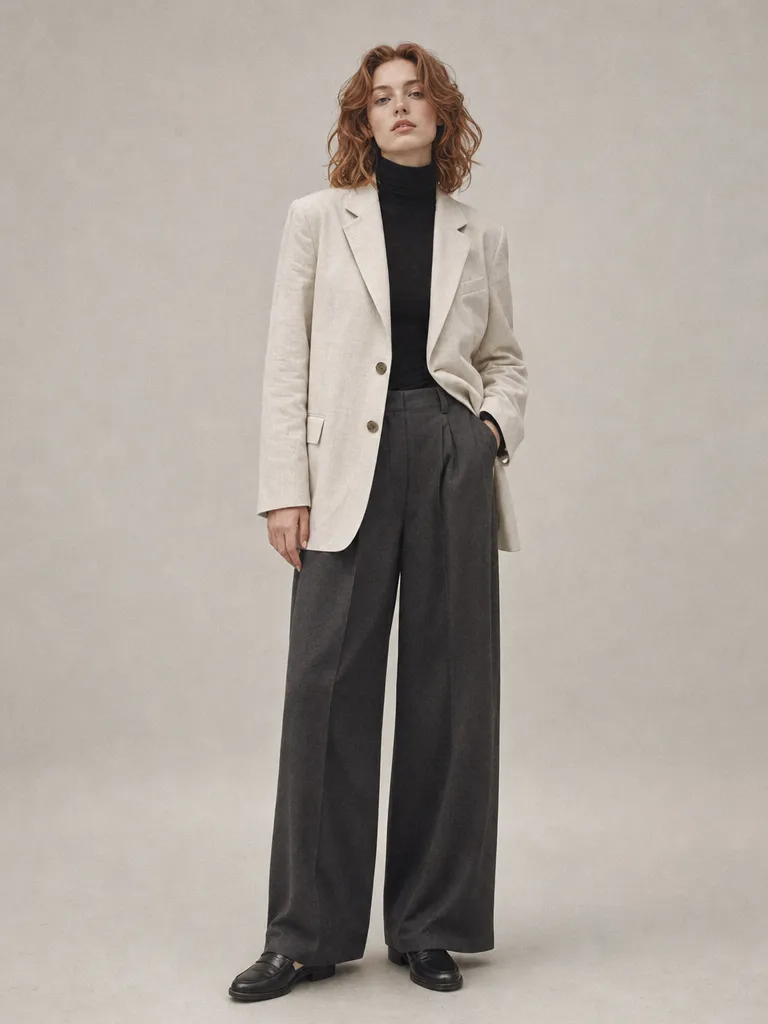
Replace the plain gray studio backdrop with a floor-to-ceiling window overlooking a rainy cityscape. Match the soft key light already on the subject. Keep the model's pose, outfit, and expression unchanged.

Industrial grunge editorial

Industrial grunge editorial

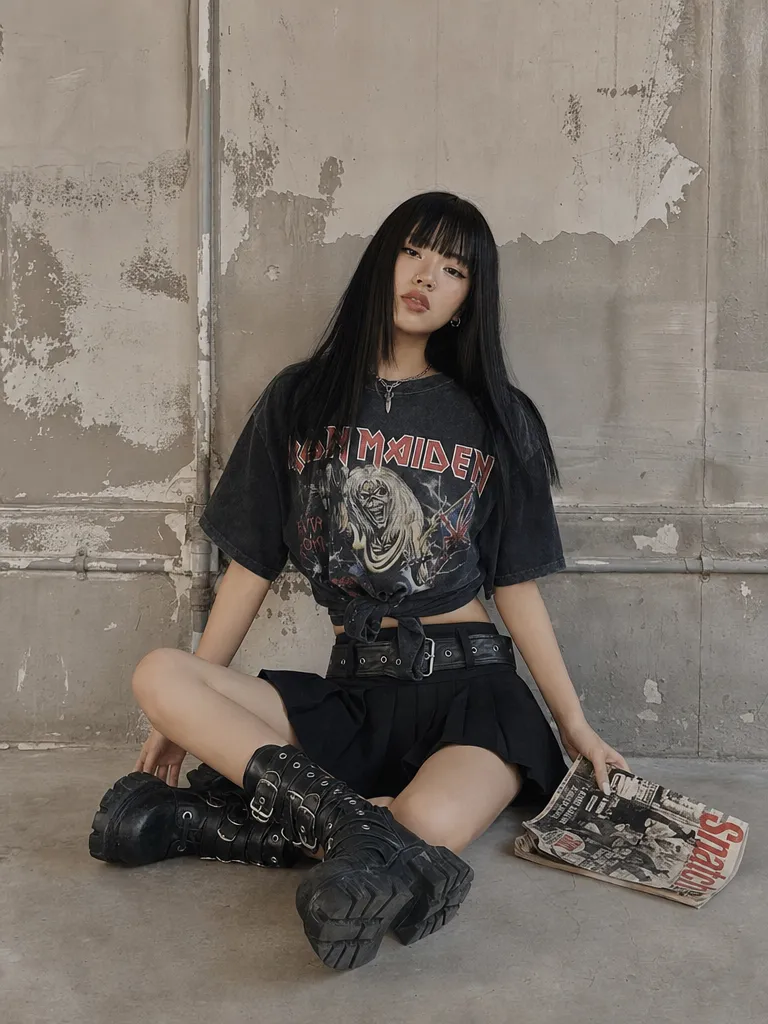
Remove the graffiti tags on the concrete wall behind the subject. Fill with clean raw concrete texture matching the existing grain and weathering. Do not alter the person or their clothing.

Rainy Shibuya night portrait

Rainy Shibuya night portrait

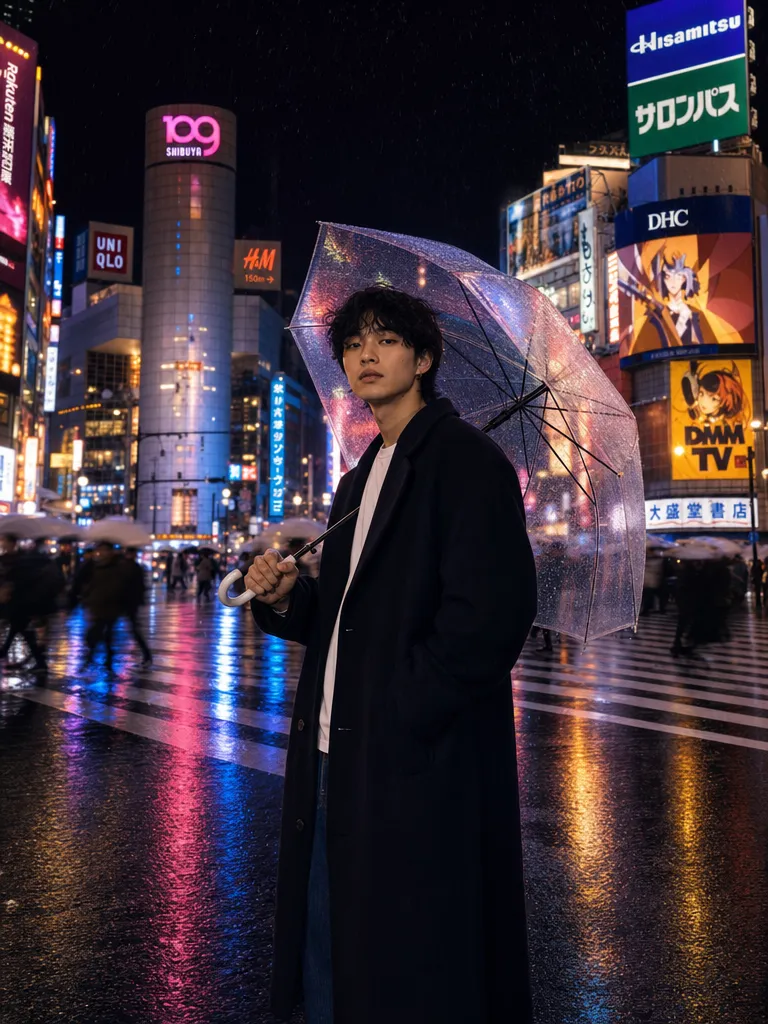
Replace the umbrella the person is holding with a translucent neon-pink umbrella that casts a soft pink glow on their face. Keep the rain, reflections, and Shibuya background unchanged.

Copy & use

Prompt templates

Product color swap

Replace the white sneakers with the same model in matte black. Keep the laces white. Maintain the same lighting, angle, and surface texture. Everything else in the image stays identical.

Model: Nano Banana Pro · Mode: Edit · Reasoning: Thinking

Object removal

Remove the water bottle from the desk. Fill the area with the same wooden desk surface, matching the grain direction and lighting. Do not change anything else in the image.

Model: Nano Banana Pro · Mode: Edit · Reasoning: Thinking

Object replacement

Replace the potted succulent on the windowsill with a small bonsai tree. Match the pot style to a dark ceramic. The bonsai should cast a shadow consistent with the window light direction.

Model: Nano Banana Pro · Mode: Edit · Reasoning: Thinking

Attribute modification

Change the woman's hair color from blonde to dark auburn. Keep the hairstyle, length, and texture exactly the same. Do not change her face, clothing, or any other part of the image.

Model: Nano Banana Pro · Mode: Edit · Reasoning: Thinking

Who it's for

Use cases

E-commerce product photo variations

Generate product color variants from a single photo shoot. "Change the sofa upholstery from gray to navy blue" or "swap the wooden legs for chrome." No re-shooting, no 3D rendering — just describe the variant.

Real estate virtual staging edits

Modify staged photos without re-staging: swap furniture pieces, change wall paint colors, or remove personal items. Each edit preserves the room's lighting and perspective so the result looks photographed, not composited.

Brand asset localization

Adapt marketing images for different markets: "Replace the English sign with Japanese text" or "swap the local currency symbol." Edit specific text and signage without regenerating the entire scene.

Iterative creative exploration

Designers can rapidly explore variations: try different furniture in an interior, test color schemes on a product, or experiment with wardrobe options on a fashion shoot — all from a single source image.

Compare

Nano Banana Pro Editing vs Alternatives

Nano Banana Pro (NL Editing)Other Editing Tools
Target selectionNatural language — describe the object to edit, no mask neededGPT Image 2: also NL-based. Photoshop generative fill: requires manual mask drawing
Reasoning before editingGemini 3 Pro "Thinking" mode — chain-of-thought plans context-aware editsGPT Image 2: implicit reasoning. Photoshop: no reasoning — fills mask region independently
Character consistencyMaintains up to 5 characters and 14 objects — edits one without affecting othersGPT Image 2: strong multi-turn editing. Photoshop: no character awareness
World knowledge for replacementsGoogle Search grounding — knows what specific products, brands, and objects look likeGPT Image 2: strong general knowledge. Photoshop: limited to training data
Best forPrecise single-object edits with physical accuracy (shadows, reflections, perspective)GPT Image 2: multi-turn iterative editing sessions. Photoshop: pixel-precise manual control
Get the best results

Tips & best practices

Be specific about the target object

"The cup" is ambiguous if there are multiple cups. Use distinguishing details: "the blue mug on the left side of the table" or "the person wearing the red jacket." Ambiguous targets may cause the model to edit the wrong object.

State what should NOT change

Explicitly protect important elements: "Do not change the background" or "Keep the person's face and hairstyle unchanged." Without constraints, the model may make broader changes than intended, especially on complex scenes.

Complex scenes may need sequential edits

If you need to change 3+ objects, edit them one at a time. Each edit builds on the previous result, giving you a checkpoint to verify before proceeding. Batching too many changes in one instruction reduces precision.

Editing cannot add what wasn't visible

If an object is fully occluded (hidden behind something else), the model has no context for what it looks like from this angle. Edits work best on visible objects where the model can analyze shape, lighting, and context from the existing pixels.

Community

Loved by creators worldwide

Join thousands of creators, agencies, and brands who use Sunra every day.

Stopped dreading revisions

Old workflow: revision ticket comes in, I sigh. New workflow: revision ticket comes in, I run it in Sunra, send three options back. Clients see effort, I save hours.

GI
Grace Iwobi
In-house Video Editor

Flow keeps my scripts straight

Writing a 10-scene video used to mean a dozen tabs. Flow lets me chain scenes with shared characters and locations so continuity just works. Huge unlock.

NF
Noah Fernández
Scriptwriter

Saved us thousands on stock footage

We used to spend $2k+ monthly on stock video. Now we generate exactly what we need — custom angles, custom talent, custom mood. Seedance and Kling are shockingly good for commercial work.

TR
Tom Reeves
Marketing Manager

Nano Banana for product mockups

E-commerce team uses Nano Banana daily for product variants — different colors, backdrops, seasons. We killed our photoshoot retainer and the output looks better than the stock we were buying.

HR
Hannah Riedel
E-commerce Lead

Client revisions are actually fast now

Before, every 'make it warmer' was an hour. Now it's fifteen seconds. Clients are happier because iteration is cheap — and I'm billing the same rate.

BC
Benjamin Cole
Video Producer

Audio quality matches the visuals

Kling 3.0 audio finally feels coherent with the footage. No more awkward mismatched foley. I haven't opened my DAW for social cuts in a month.

TN
Theo Nakamura
Sound Designer
FAQ

Questions & answers

How does Nano Banana Pro edit without masks?
Nano Banana Pro uses Gemini 3 Pro's language understanding to identify the target object from your text description. It internally segments the object, reasons about the surrounding context, and applies the edit — all from a single natural language instruction. No manual masking required.
How does this compare to GPT Image 2 editing?
GPT Image 2 also supports natural language editing. The key differences: Nano Banana Pro uses explicit "Thinking" reasoning for physically accurate edits (shadows, reflections) and has Google Search grounding for real-world object knowledge. GPT Image 2 excels at multi-turn iterative editing sessions. Both are available on Sunra Image.
How does this compare to Photoshop generative fill?
Photoshop generative fill requires you to manually draw a mask around the area you want to edit. Nano Banana Pro identifies the target from a text description — no mask needed. Photoshop gives more pixel-precise control; Nano Banana Pro is faster for straightforward edits.
Can I edit text in images?
Yes. For text modifications in images, use Nano Banana Pro's text rendering capabilities which handles text replacement, addition, and multilingual text generation within images.
How many objects can I edit in one image?
Nano Banana Pro tracks up to 5 characters and 14 distinct objects in a scene. You can edit any of these individually. For best results, edit one object per instruction rather than batching multiple changes.
Does the edit preserve image quality?
Yes. Unedited regions remain pixel-identical to the original. The edited region is composited at the same resolution and quality level. There's no global quality degradation from the edit operation.
What image formats are supported?
PNG, JPG, and WebP. Higher resolution inputs give the model more context for precise edits. The output format matches the input. See the image generator for full format details.
Is Nano Banana Pro editing free?
Free daily credits on Sunra cover Nano Banana Pro including its editing capabilities. No separate charge for edit mode vs generation mode. See pricing for subscription details.

Ready to create?

Start with free daily credits. No credit card required.