GPT Image 2 — OpenAI's Flagship Image Model

GPT Image 2 — OpenAI's Flagship Image Model

The successor to GPT Image 1.5. Sharper detail, more reliable composition, and subject fidelity that actually holds across edits. Reach for GPT Image 2 when the brief is unforgiving.

Features

Why GPT Image 2

Aesthetic quality that feels art-directed

GPT Image 2 renders lighting, texture, and composition at a level that reads as deliberate rather than generated. Defaults land close enough that most briefs need one pass, not five.

Prompt adherence without babysitting

Multi-subject scenes, specified poses, exact color palettes, legible in-image text — GPT Image 2 resolves the whole prompt instead of picking the easy half. Compare it against other generators with the same prompt to see the difference.

Subject fidelity across edits

Upload a reference and iterate. GPT Image 2 keeps the face, product, or brand element stable across edits — no drift, no 'close but not the same person'.

Both endpoints, one model

Text-to-image and image editing run through the same model on Sunra. Drop in up to 16 reference images for compositional edits, or start from a blank prompt — same quality floor either way. Then turn your best image into a video clip without leaving the platform.

Accurate text rendering inside images

GPT Image 2 produces legible, correctly-spelled text in images — logos, signage, headlines, UI copy. Where older diffusion models garble letters, GPT Image 2 nails them. Critical for ad units, mockups, and text-in-image editing workflows.

Brand-color precision with hex codes

Pass hex values in your prompt and GPT Image 2 returns the exact swatches. No color drift, no 'close enough'. Essential for packaging mockups, brand guidelines decks, and any creative where pantone-level accuracy is non-negotiable.

Native transparency support

GPT Image 2 can output images with transparent backgrounds — no post-process removal step. Generate product cutouts, sticker assets, or UI elements ready to composite. Pair with Canvas for layered workflows.

Get started

How to use GPT Image 2

1

Open the AI image generator

Go to Sunra Image and select GPT Image 2 from the model dropdown. No account required to start — free daily credits are available immediately.

2

Describe your image or upload references

Type a detailed prompt describing the scene, style, and composition you want. For edits, upload up to 16 reference images and describe the changes — 'swap the background to a beach', 'add the logo in the top-left corner'. Include hex codes for exact brand colors.

3

Generate and iterate

Click Generate and review the result. Refine your prompt, adjust references, or try a different aspect ratio. GPT Image 2's strong prompt adherence means small tweaks produce predictable changes — no need to start over.

4

Download or continue editing

Download your final image in full resolution with or without transparency. Want motion? Turn it into a video clip with one click, or open it in Canvas to compare against other models side-by-side.

Showcase

Made with GPT Image 2

Who it's for

Use cases

Brand asset production

Generate on-brand visuals with exact hex colors, legible logos, and consistent subject identity across dozens of variants. GPT Image 2's color precision and text rendering make it the go-to for ad creatives, social cards, and pitch decks.

Product mockups and packaging

Create photorealistic product shots, packaging renders, and label designs from text descriptions. Upload a product photo and GPT Image 2 places it in lifestyle contexts — no studio, no photographer. Pair with AI image upscaling for print-ready output.

Editorial and content creation

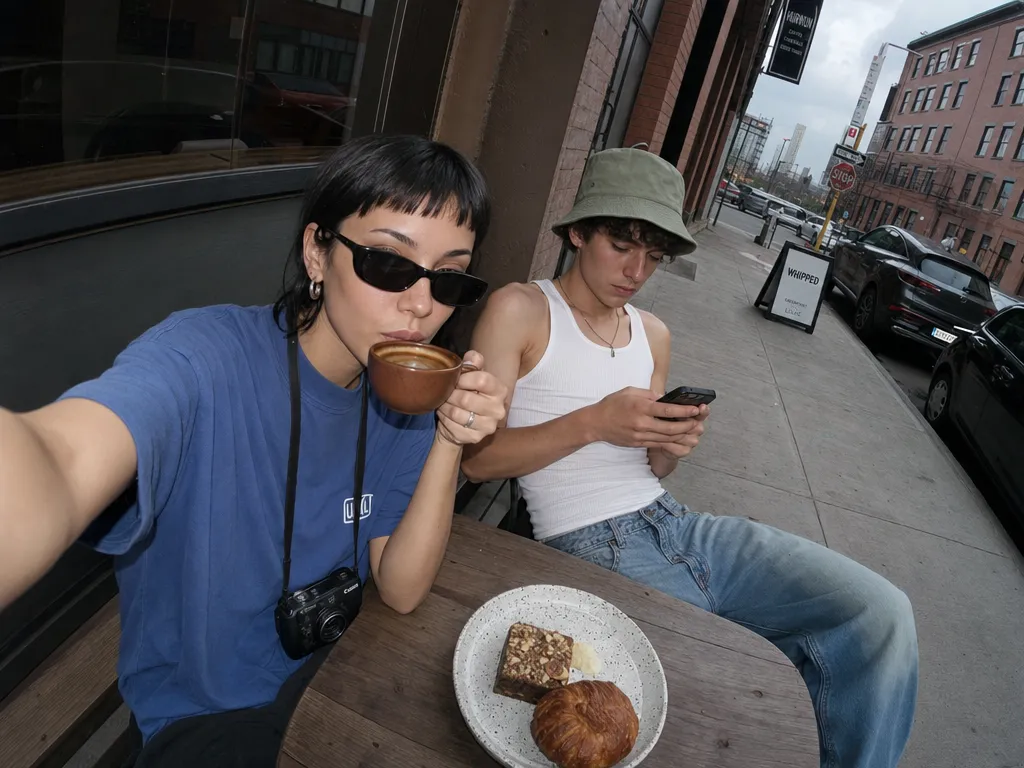
Produce magazine-quality portraits, food photography, and interior shots for blogs, social media, and newsletters. GPT Image 2's art-directed defaults mean most images need zero post-processing.

UI/UX design and prototyping

Generate app screenshots, web mockups, and icon sets with readable text and clean edges. Transparent background support means assets drop straight into Figma or your design tool. Then animate UI flows as video for stakeholder demos.

Community

Loved by creators worldwide

Join thousands of creators, agencies, and brands who use Sunra every day.
Replaced our product photography studio

We switched 80% of our e-commerce catalog shoots to GPT Image 2. The color accuracy is spot-on — our brand red (#E8334A) comes back exactly right every time. Saved us $12,000/month in studio costs.

NJ
Nikolai Jansen
Creative Director, DTC Fashion Brand

Text in images finally works

I've tried every AI image model for generating social media cards with headlines. GPT Image 2 is the first one that spells everything correctly and matches our brand fonts. We produce 50+ cards a week now.

CL
Chiara Lombardi
Social Media Manager

Iteration speed changed our workflow

We used to spend 3 days on mood boards. Now we generate 40 GPT Image 2 variations in an afternoon, pick the best 5, and present to the client next morning. Our pitch win rate went up 30%.

BK
Brian Keller
Art Director, Advertising Agency

The edit mode is underrated

Upload a reference, describe the change, done. I swapped backgrounds on 200 product photos in one sitting. The subject fidelity across edits is genuinely impressive — same face, same lighting feel, different scene.

GH
Gavin Hart
Freelance Photographer

Best prompt adherence I've tested

I run a benchmark of 100 complex prompts across every major model quarterly. GPT Image 2 scores highest on multi-subject coherence and spatial reasoning. It actually puts things where you ask.

JL
Jing Liu
AI Research Engineer

No Discord, no drama

I used to juggle Midjourney on Discord plus DALL-E plus three other tools. Sunra gives me GPT Image 2 and every other model in one place. My team saves about 6 hours a week just on workflow consolidation.

KA
Kofi Asante
Head of Content, SaaS Startup
FAQ

Questions & answers

How is GPT Image 2 different from GPT Image 1.5?
GPT Image 2 upgrades prompt adherence, composition stability, and subject fidelity across edits. If you were already on the previous generation, GPT Image 2 is the drop-in upgrade — same surface, better output. Our side-by-side breakdown covers every dimension.
Does GPT Image 2 support image editing?
Yes. Upload up to 16 reference images, describe the edit, and GPT Image 2 runs the image-editing endpoint automatically. No separate model to pick.
How does it compare to Nano Banana Pro?
GPT Image 2 leads on instruction-following, text inside images, and brand-color accuracy. Nano Banana Pro still leads on surgical localized edits and multi-reference blending. Most teams keep both on hand.
GPT Image 2 vs Midjourney V8 — which should I use?
GPT Image 2 wins on prompt precision, text rendering, and brand-color accuracy. Midjourney V8 wins on cinematic mood and aesthetic defaults. Use GPT Image 2 for commercial/brand work; use Midjourney for editorial and artistic exploration.
Can I control quality and background?
On Sunra, GPT Image 2 always runs at the highest quality tier with auto background — no dial to turn down. Every generation gets the best output the model can produce.
Does GPT Image 2 support transparent backgrounds?
Yes. GPT Image 2 can generate images with transparent backgrounds natively — useful for product cutouts, stickers, and compositing workflows.
Is the output licensed for commercial use?
Yes. All content generated through Sunra is licensed for commercial use under our terms of service.
How much does GPT Image 2 cost on Sunra?
Free daily credits include GPT Image 2. Heavier usage rolls onto your wallet balance or subscription allowance. No credit card required to start.
Can I turn GPT Image 2 images into videos?
Yes. After generating an image, click the Image to Video button to animate it using models like Kling 3.0 or Seedance 2.0. The entire workflow stays on Sunra.
How does GPT Image 2 compare to Seedream 5.0?
Seedream 5.0 excels at visual reasoning and multi-subject composition. GPT Image 2 leads on text-in-image accuracy, brand-color fidelity, and editing with multiple references. Both are top-tier — pick based on the specific task.

Ready to create?

Start with free daily credits. No credit card required.

