GPT Image 1.5
OpenAI's Precision Image Model

GPT Image 1.5 OpenAI's Precision Image Model

True-color rendering, obedient instructions, and legible text inside the image. GPT Image 1.5 is the one you reach for when the brief is detailed and the client is particular.

Features

Why GPT Image 1.5

True-color precision

GPT Image 1.5 preserves brand palettes. Hex codes in the prompt come back as the exact swatches — critical for logos, packaging, and ad units.
Actually follows instructions

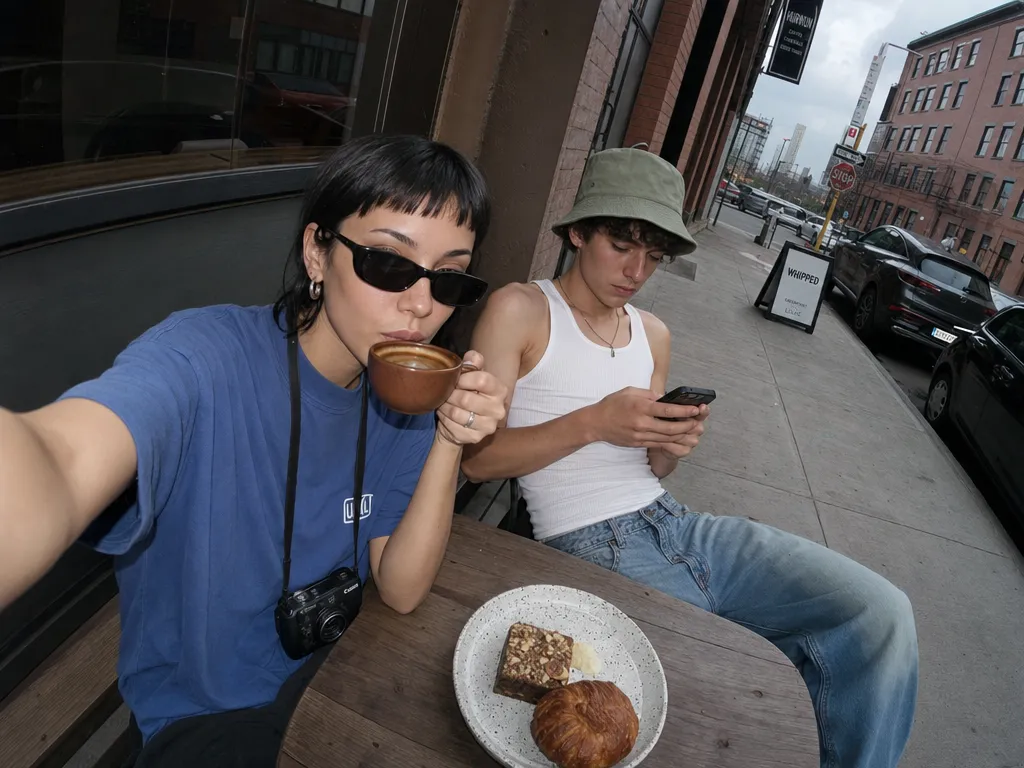
Multi-step prompts ('A holds B while C walks behind, seen from above') resolve into a coherent scene instead of a blend of partial matches.

Legible text inside images

Signage, labels, handwritten notes, book covers — GPT Image 1.5 renders characters you can actually read, in the fonts you asked for. For even sharper text accuracy, see GPT Image 2 or try the text-in-image editor.

Clean vector-friendly output

Edges stay clean and palettes stay flat when you want them to. Easier to vectorize, easier to drop into a layout without color-correction work.

Image editing from references

Upload an existing image and describe the change. GPT Image 1.5 modifies, restyles, or recomposes while preserving the source material's intent. For surgical localized edits, pair with Nano Banana Pro.

Reliable batch consistency

Generate 20 variations of the same concept and every one holds the brief. GPT Image 1.5's predictability makes it ideal for A/B testing ad creatives, running side-by-side comparisons on Canvas, and building asset libraries at scale.

Get started

How to use GPT Image 1.5

1

Open the AI image generator

Go to Sunra Image and select GPT Image 1.5 from the model dropdown. No account required — free daily credits are ready immediately.

2

Describe your image or upload a reference

Type a detailed prompt with specific instructions — colors (hex codes work), composition, subjects, text to include. For edits, upload an existing image and describe what to change.

3

Generate and refine

Click Generate and review. GPT Image 1.5's instruction-following is strong enough that small prompt tweaks yield precise, predictable changes. Iterate on color, composition, or text until it's right.

4

Download or continue editing

Download the final image in full resolution. Take it further by turning it into a video clip or opening it in Canvas for side-by-side comparison with other models.

Showcase

Made with GPT Image 1.5

Who it's for

Use cases

Brand identity and packaging design

GPT Image 1.5's true-color precision makes it ideal for packaging mockups, logo treatments, and brand guidelines visuals. Pass hex codes and get exact swatches back — no color-correction in post.

Print-ready illustrations and layouts

Clean vector-friendly edges and flat color fills mean GPT Image 1.5 output vectorizes cleanly. Generate botanical prints, editorial illustrations, or infographic elements ready for InDesign or Illustrator.

Social media content with text overlays

Create platform-ready cards, quote graphics, and announcement visuals with legible headlines baked into the image. No Canva step needed — GPT Image 1.5 renders the text directly. Scale output with the AI image generator.

Product photography and e-commerce

Generate lifestyle product shots, flat-lays, and catalog images from text descriptions. Upload a product reference and GPT Image 1.5 places it in context with consistent lighting and accurate colors.

Community

Loved by creators worldwide

Join thousands of creators, agencies, and brands who use Sunra every day.

Hex codes come back perfect

Our brand palette has 6 specific hex values. GPT Image 1.5 nails every one. We generate 30+ social assets a week and haven't needed to color-correct a single image since switching.

DV
Dmitri Volkov
Brand Designer, Beauty Startup

Best text-in-image I've found

I generate event posters with accurate dates, venue names, and ticket prices baked in. GPT Image 1.5 spells everything correctly about 95% of the time — leagues ahead of what I was using before.

FW
Frank Wells
Event Marketing Coordinator

Vectorization is painless now

The clean edges GPT Image 1.5 produces mean I can auto-trace in Illustrator without manual cleanup. Saved me roughly 4 hours per week on icon and illustration workflows.

TQ
Tara Quinn
Graphic Designer, Agency

Multi-instruction prompts actually work

I can say 'three people at a table, overhead angle, warm lighting, blue tablecloth, one person holding a red cup' and get exactly that. Other models drop half the instructions. GPT Image 1.5 doesn't.

LB
Lindsey Burke
Creative Director

Perfect for our editorial workflow

We use GPT Image 1.5 for 70% of our blog header images. The botanical illustration style is consistently beautiful, and the text captions render cleanly. Our design team estimates it saves 15 hours per month.

HD
Hugo Delacroix
Content Lead, Lifestyle Magazine

Reliable for client presentations

When a client asks for a mood board with specific colors and compositions, I need it to work the first time. GPT Image 1.5 delivers predictable, high-quality output that I'm comfortable presenting in pitch meetings.

DN
Derek Nash
Senior Art Director
FAQ

Questions & answers

Is GPT Image 1.5 the same as DALL·E?
No. GPT Image 1.5 is OpenAI's current-generation image model and the successor to DALL·E. It inherits instruction-following from the GPT series and is noticeably better at text inside images.
GPT Image 1.5 vs GPT Image 2 — which should I pick?
GPT Image 2 is the newer model with better composition stability and subject fidelity across edits. GPT Image 1.5 remains strong on true-color precision and clean vector output. GPT Image 2 is the default recommendation; use 1.5 when you need the flattest, cleanest edges for vectorization.
Can I use my brand colors?
Yes — pass hex codes in the prompt. GPT Image 1.5 respects exact color specifications more reliably than most competitors.
How does it compare to Nano Banana Pro?
GPT Image 1.5 is sharpest on instruction-following, text rendering, and brand-color accuracy. Nano Banana Pro leads on precision localized edits and style blending from reference images. Often used together.
GPT Image 1.5 vs Seedream 5.0 — what's the difference?
GPT Image 1.5 excels at brand-color fidelity, text rendering, and clean vector output. Seedream 5.0 leads on visual reasoning, multi-subject coherence, and photoreal skin/fabric textures. Use 1.5 for brand work; use 5.0 for editorial realism.
Does it support image editing?
Yes. Upload an image and describe the edit — GPT Image 1.5 can modify, restyle, or recompose while keeping the source-material intent.
Is the output licensed for commercial use?
Yes. Sunra output is licensed for commercial use under our terms of service.
How much does GPT Image 1.5 cost on Sunra?
Free daily credits include GPT Image 1.5. Heavier usage rolls onto your wallet balance or subscription allowance. No credit card required to start.
Can I turn GPT Image 1.5 images into videos?
Yes. After generating an image, click the Image to Video button to animate it using models like Kling 3.0 or Seedance 2.0. No downloads or re-uploads needed.
What resolutions does GPT Image 1.5 support?
GPT Image 1.5 generates at up to 4K resolution natively. For even larger output, chain with the Image Upscale tool on Sunra.

Ready to create?

Start with free daily credits. No credit card required.