Nano Banana Pro Text Rendering

Nano Banana Pro Text Rendering

Generate images with readable, correctly spelled text — taglines, labels, multilingual copy, and even short paragraphs. Gemini 3 Pro's reasoning engine plans text layout before rendering.

Text-in-image rendering is the ability of an image generation model to produce legible, correctly spelled text within generated images — on signs, labels, posters, screens, clothing, or any surface. This has historically been one of the hardest problems in image generation: early models produced garbled letters, misspellings, or characters that resembled text but weren't readable. Modern approaches use language model reasoning to plan the text layout, font sizing, and character shapes before the image generation step, treating text as a structured constraint rather than a visual texture.

What you can do

Gemini reasoning for layout planning

Before generating the image, Nano Banana Pro uses Gemini 3 Pro's reasoning mode to plan where text should appear, how large each character should be relative to the canvas, and how the text should wrap or curve to fit the target surface. This pre-planning step prevents common text errors like overlapping characters or text running off the edge.
Multi-line and paragraph support

Render not just single words but full sentences and short paragraphs. Menu boards, poster copy, and product descriptions with multiple lines of correctly formatted text — proper line breaks, consistent spacing, and aligned margins.

Multilingual text generation

Generate text in English, Chinese, Japanese, Korean, and Latin-alphabet European languages. The model handles different scripts' character complexities — CJK characters, accented Latin letters, and mixed-language text within the same image.

Google Search grounding for factual accuracy

Nano Banana Pro can ground text content against Google Search results — useful for generating images with real brand names, accurate product specs, or factual quotes. The model retrieves correct spellings and formats from web data.

Surface-aware text placement

Text renders appropriately on different surfaces: flat on signs, curved on mugs, embossed on leather, printed on fabric, displayed on screens. The model matches perspective distortion, material texture, and lighting to make text look physically present rather than overlaid.

Get started

How to use

1

Open Sunra Image and select Nano Banana Pro

Go to Sunra Image and select Nano Banana Pro from the model dropdown.

2

Write your prompt with exact text in quotes

Include the text you want rendered in quotation marks within your prompt: *"A coffee shop chalkboard menu that reads 'Espresso $4 · Latte $5 · Cappuccino $5' in white chalk lettering."* The model renders the quoted text verbatim.

3

Specify text placement and style

Describe where the text should appear and its visual treatment: *"Bold sans-serif white text on the storefront window"* or *"Handwritten script on the bottom of the postcard."* Be explicit about font style, color, and position.

4

Generate and verify text accuracy

Click Generate and zoom in on the rendered text. Check spelling, character completeness, and readability at the intended viewing size. Regenerate if any characters are malformed.

5

Iterate or edit

If the text is mostly correct but one word is off, use Nano Banana Pro's precision editing to fix just the text without regenerating the entire image.

Built for creators

Whether you're a solo creator, an agency, or a brand — every model adapts to how you work.

Fashion editorial duo

Fashion editorial duo

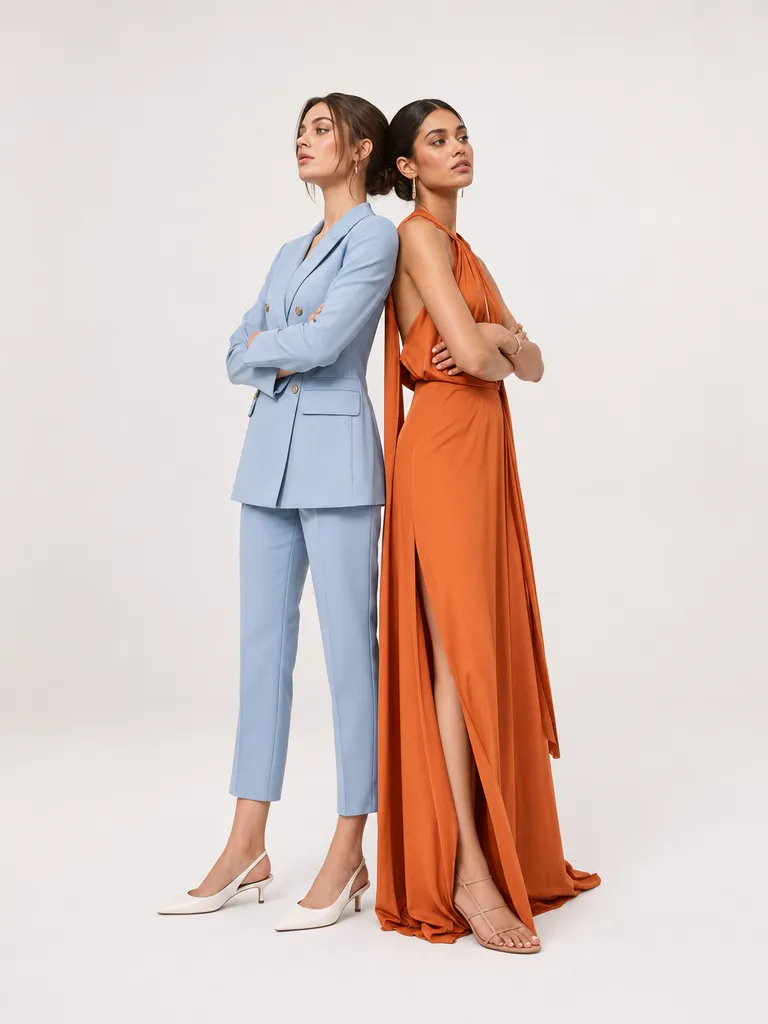
Two models stand back-to-back in a white studio. The oversized T-shirt on the left model reads "AVANT GARDE" in bold black sans-serif across the chest. The right model's tote bag has "MAISON DE MODE" in thin gold embroidered script. Clean editorial lighting, full body framing.

Tropical poolside candid

Tropical poolside candid

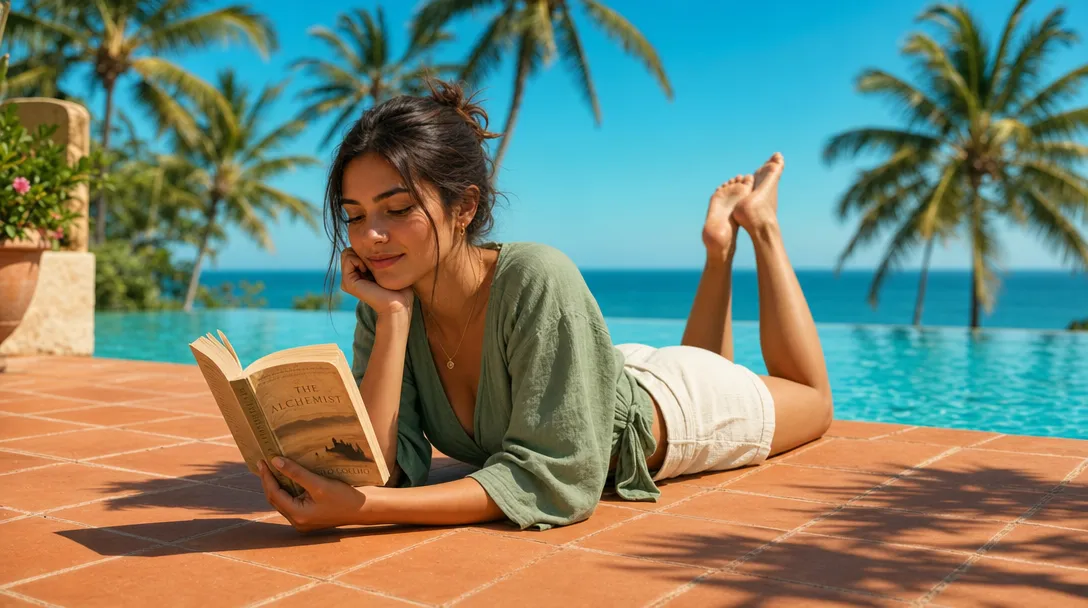
A person lounges on a rattan daybed by a turquoise pool, reading a paperback. The book cover facing the camera shows the title "THE LONG SHORE" in white serif text on a navy background. A frosted glass on the side table has "SUNSET BAR" etched into the surface. Golden hour light, shallow depth of field.

Ceramics workshop candid

Ceramics workshop candid

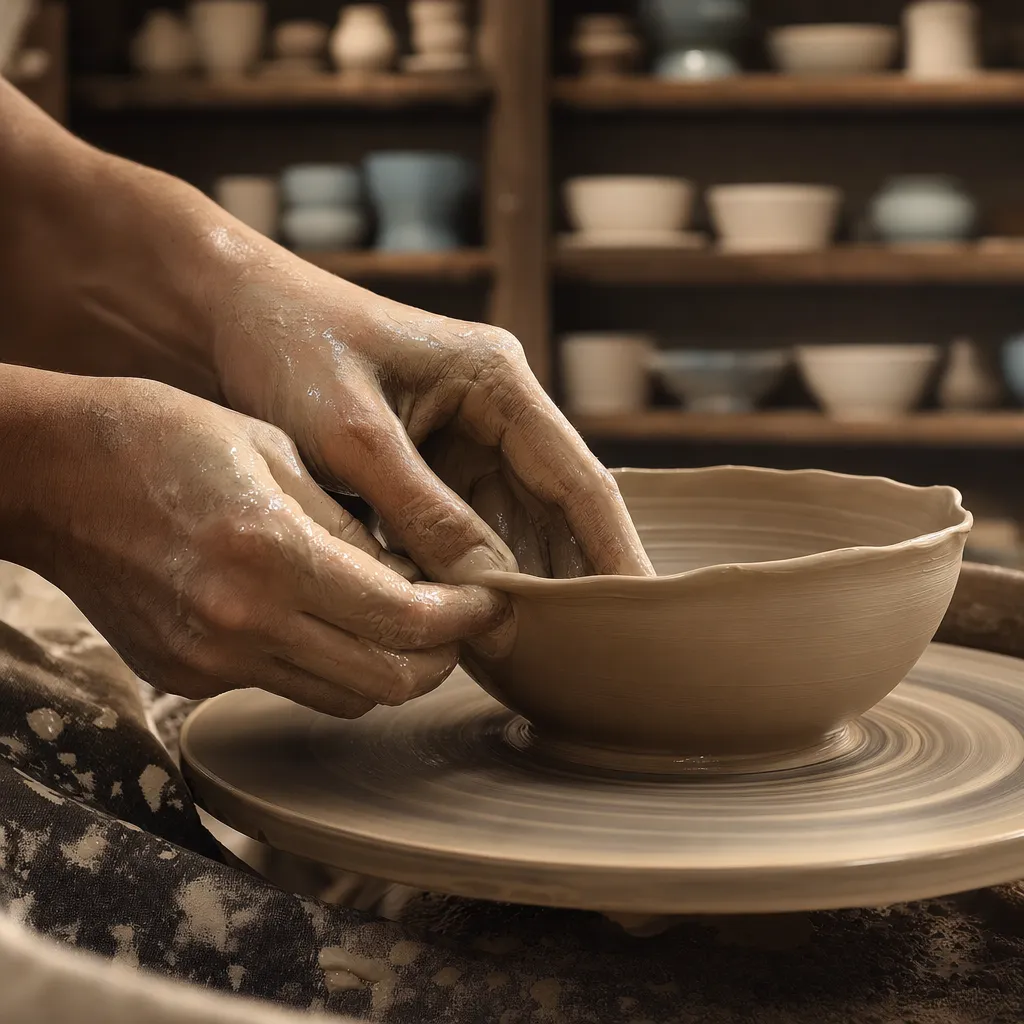
A potter shapes a bowl on a spinning wheel in a sunlit workshop. The canvas apron reads "CLAY & FIRE STUDIO" in stamped block letters across the chest pocket. A chalkboard on the wall behind says "OPEN WORKSHOP — SATURDAYS 10AM" in white chalk. Warm natural light from a side window.

Copy & use

Prompt templates

Coffee shop menu board

A rustic chalkboard mounted on a brick wall. Written in white chalk: 'DAILY SPECIALS' at the top in large letters, followed by 'Drip Coffee $3.50' and 'Cold Brew $4.50' and 'Matcha Latte $5.00'. Small chalk drawing of a coffee cup in the corner. Warm café lighting.

Model: Nano Banana Pro · Reasoning: Thinking · Resolution: 1024×1024

Book cover concept

A minimalist book cover with a dark navy background. The title 'THE QUIET HOURS' in large gold serif letters centered on the cover. Below in smaller white text: 'A Novel by Sarah Chen'. Subtle embossed texture on the background. Clean, editorial design.

Model: Nano Banana Pro · Reasoning: Thinking · Resolution: 768×1024

Product packaging with multilingual labels

A cylindrical tea canister with a matte green finish. The label reads 'SENCHA' in large English letters at the top, '煎茶' in Japanese characters below, and 'Premium Green Tea · 100g' at the bottom. Minimalist Japanese design aesthetic. White background studio shot.

Model: Nano Banana Pro · Reasoning: Thinking · Resolution: 1024×1024

Storefront window sign

A glass storefront window with gold vinyl lettering that reads 'BAKER & BLOOM' in an elegant sans-serif font. Below in smaller text: 'Artisan Bakery · Est. 2019'. Blurred interior visible through the glass. Morning sunlight reflects on the window. Street-level perspective.

Model: Nano Banana Pro · Reasoning: Thinking · Resolution: 1024×768

Who it's for

Use cases

Social media quote graphics

Generate shareable quote images with styled text — motivational quotes, book excerpts, or brand taglines rendered on designed backgrounds. No Canva template needed — describe the aesthetic and text in one prompt.

Product mockups with labels

Generate product packaging with readable brand names, ingredient lists, and size labels. Useful for pitch decks and concept validation before investing in physical packaging design.

Menu and signage design concepts

Create restaurant menu boards, store signage, and wayfinding concepts with correct text. Faster than mockup tools for early-stage design exploration — generate 10 menu board concepts in the time it takes to build 1 in Figma.

Multilingual marketing assets

Generate the same marketing image with text in different languages — an ad banner in English, Japanese, and Spanish. The model handles each language's typographic requirements natively.

Compare

Text Rendering: Nano Banana Pro vs GPT Image 2

Nano Banana ProGPT Image 2
Text accuracyHigh accuracy — Gemini reasoning pre-plans character layout before generation~99% reported accuracy — slightly higher consistency on long strings and edge cases
Multilingual supportEnglish, Chinese, Japanese, Korean, and European languages with proper glyph renderingStrong English and European languages. CJK support available but less tested
World knowledge groundingGoogle Search grounding — retrieves correct spellings for brands, places, technical termsStrong general knowledge from training data but no live search grounding
Multi-turn text editingSingle-turn generation + separate editing via precision edit modeBuilt-in multi-turn editing — refine text iteratively in the same conversation
Best forMultilingual text, factual content needing search grounding, surface-aware placementLong English text, iterative refinement, text-heavy compositions with many corrections
Get the best results

Tips & best practices

Put exact text in quotation marks

Always quote the text you want rendered: 'Your Text Here'. Without quotes, the model may interpret the text as a prompt instruction rather than content to render. Double-check spelling before generating — the model renders what you type.

Specify font style explicitly

Don't leave font choice to the model if you have a preference. Describe it: "bold sans-serif", "thin serif", "handwritten script", "monospace". Without guidance, the model picks a style that fits the scene — which may not match your brand guidelines.

Limit text length for best accuracy

Short text (1–15 words) renders most reliably. As text length increases beyond ~30 words, the chance of a misspelled or malformed character increases. For paragraph-length text, generate in sections or use the image as a design comp rather than a final asset.

Very small text at low resolution will be illegible

If your prompt includes small text (e.g., fine print, ingredient lists), generate at the highest available resolution. At 512×512, text below ~20px equivalent will be blurry regardless of the model's accuracy. Use 1024×1024 or larger for text-heavy images.

Community

Loved by creators worldwide

Join thousands of creators, agencies, and brands who use Sunra every day.

The quality jumped overnight

We switched our product video pipeline to Sunra last month. Kling 3.0 with native audio is genuinely usable for social ads now. Our team ships 30+ variations a week without touching After Effects.

MJ
Marcus Johansson
Head of Content, DTC Brand

Cut our pre-production costs in half

We prototype every scene in Sunra before we shoot. Directors see framing, pacing, and mood before a single camera rolls. It's become essential to our pre-vis workflow.

JW
James Whitfield
Production Supervisor

Character consistency is the win

Keeping the same character across a multi-scene piece used to be a nightmare. Sunra's consistency tools make it trivial. I'm writing actual episodic content now.

AO
Amara Ochieng
Narrative Creator

Onboarded my junior in one afternoon

New hire generated her first client-ready clip on day one. The learning curve that used to scare off non-video people just isn't there.

VL
Victor Lindqvist
Studio Manager

Client revisions are actually fast now

Before, every 'make it warmer' was an hour. Now it's fifteen seconds. Clients are happier because iteration is cheap — and I'm billing the same rate.

BC
Benjamin Cole
Video Producer

Thumbnails, hero shots, b-roll, done

I run a YouTube channel solo. Sunra handles everything I used to outsource: thumbnails, intro b-roll, cutaways. My retention is up and my freelancer bill is zero.

TK
Trevor Kim
Solo YouTuber
FAQ

Questions & answers

Can Nano Banana Pro render text accurately in images?
Yes. Nano Banana Pro uses Gemini 3 Pro's reasoning engine to plan text layout before generation. It handles single words, short sentences, and multi-line text with high accuracy. For best results, put your exact text in quotation marks in the prompt.
How does Nano Banana Pro text compare to GPT Image 2?
GPT Image 2 reports ~99% text accuracy and excels at multi-turn iterative editing. Nano Banana Pro's advantage is Google Search grounding (for factual accuracy) and broader multilingual support. Both are available on Sunra Image — choose based on your use case.
What languages can Nano Banana Pro render?
English, Chinese (simplified and traditional), Japanese (hiragana, katakana, kanji), Korean (hangul), and Latin-alphabet European languages including accented characters. Mixed-language text within the same image is supported.
How do I fix a typo in rendered text?
Use Nano Banana Pro's precision editing mode to fix individual text elements without regenerating the full image. Describe the correction: "Change 'Cofee' to 'Coffee' on the menu board."
Can I control font style and size?
Yes. Describe the font style in your prompt: "bold sans-serif", "elegant serif", "handwritten script", etc. For size, use relative terms: "large title text", "small subtitle below." The model doesn't accept exact point sizes, but responds well to relative descriptions.
Does text render correctly on curved surfaces?
Yes. Nano Banana Pro applies perspective distortion to match the surface: text curves on mugs, wraps on bottles, and follows the arc of signs. The model reasons about the 3D geometry of the surface before placing text.
What about long paragraphs of text?
Short text (1–15 words) is most reliable. Text beyond ~30 words has a higher chance of character errors. For paragraph-length text, generate at maximum resolution and consider the image a design comp — verify and correct any errors before using as a final asset.
Is Nano Banana Pro text rendering free?
Free daily credits on Sunra cover Nano Banana Pro including text rendering — no separate feature charge. See pricing for subscription credit details.

Ready to create?

Start with free daily credits. No credit card required.