Seedream 5.0 Text in Images

Seedream 5.0 Text in Images

Generate images with legible text — signs, price tags, labels, and short copy — at a fraction of the cost per generation. Seedream 5.0 handles multi-subject compositions with readable text elements.

Text-in-image generation refers to an AI model's ability to render legible, correctly spelled text within generated images. Unlike overlaying text in a graphics editor (which sits on top of the image), AI-rendered text is part of the generated scene — appearing on surfaces like signs, screens, clothing, and packaging with proper perspective, lighting, and material interaction. Text-in-image quality varies significantly between models: some produce consistently readable results for short text, while others struggle with character accuracy beyond single words.

What you can do

Readable short text on signs and labels

Seedream 5.0 renders legible text on in-scene surfaces — storefront signs, product labels, price tags, and screen displays. Best results with 1–8 words per text element. Characters maintain correct proportions and spacing for common Latin-alphabet text.

Multi-subject compositions with text

Generate complex scenes that include both subjects and text elements: a person holding a sign, a product with a price tag, a storefront with a name. The text integrates naturally with the rest of the composition rather than appearing pasted on.

Lower cost per generation

Seedream 5.0 uses fewer credits per generation than GPT Image 2 or Nano Banana Pro. For high-volume use cases like generating dozens of product images with price tags, the per-image cost difference adds up significantly.

Fast generation speed

Seedream 5.0 renders in 3–8 seconds per image — faster than Nano Banana Pro's reasoning mode (which adds planning time for text layout) and GPT Image 2. Useful when generating batches of text-containing images quickly.

Multiple aspect ratios

Generate text-in-image at 1:1, 16:9, 9:16, 4:3, and 3:4 ratios. Text readability is maintained across formats — useful for generating the same product shot in different dimensions for various platforms.

Get started

How to use

1

Open Sunra Image and select Seedream 5.0

Go to Sunra Image and select Seedream 5.0 from the model dropdown.

2

Write your prompt with text in quotation marks

Include the text to render in quotes: *"A wooden sign hanging on a brick wall that reads 'OPEN 9AM-5PM'."* Quotation marks signal that the enclosed content is literal text to be rendered in the image.

3

Describe the text's physical context

Specify the surface the text appears on: "painted on the wall", "printed on the label", "displayed on the screen." This helps the model apply correct perspective, material texture, and lighting to the text.

4

Generate and check readability

Click Generate and zoom into the text area. Verify spelling and character clarity. For critical text, generate 2–3 variations and pick the cleanest result.

5

Use higher-res models for critical text

If the text needs to be flawless (client-facing deliverables, published assets), consider Nano Banana Pro or GPT Image 2 for the final version. Use Seedream 5.0 for concept exploration and batch generation.

Built for creators

Whether you're a solo creator, an agency, or a brand — every model adapts to how you work.

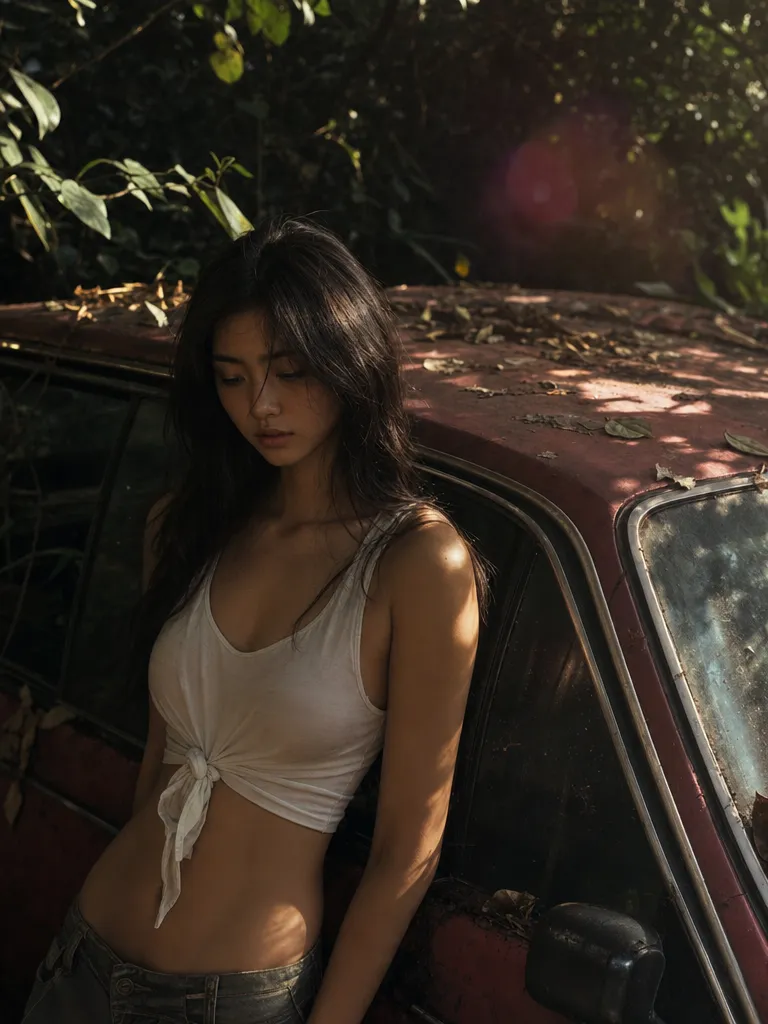
Nostalgic forest candid

Nostalgic forest candid

A vintage woody station wagon parked on a forest dirt road. The rear bumper has a weathered sticker that reads "TAKE THE SCENIC ROUTE" in retro rounded letters. Dappled afternoon sunlight through pine trees, 35mm film grain.

Traditional Japanese room portrait

Traditional Japanese room portrait

A woman in a linen kimono kneels on tatami mats beside a low table. A hanging scroll on the wall behind her displays the calligraphy "和" (harmony) in bold black ink. A ceramic tea cup on the table is stamped with "玉露" on its side. Soft diffused light from shoji screens.

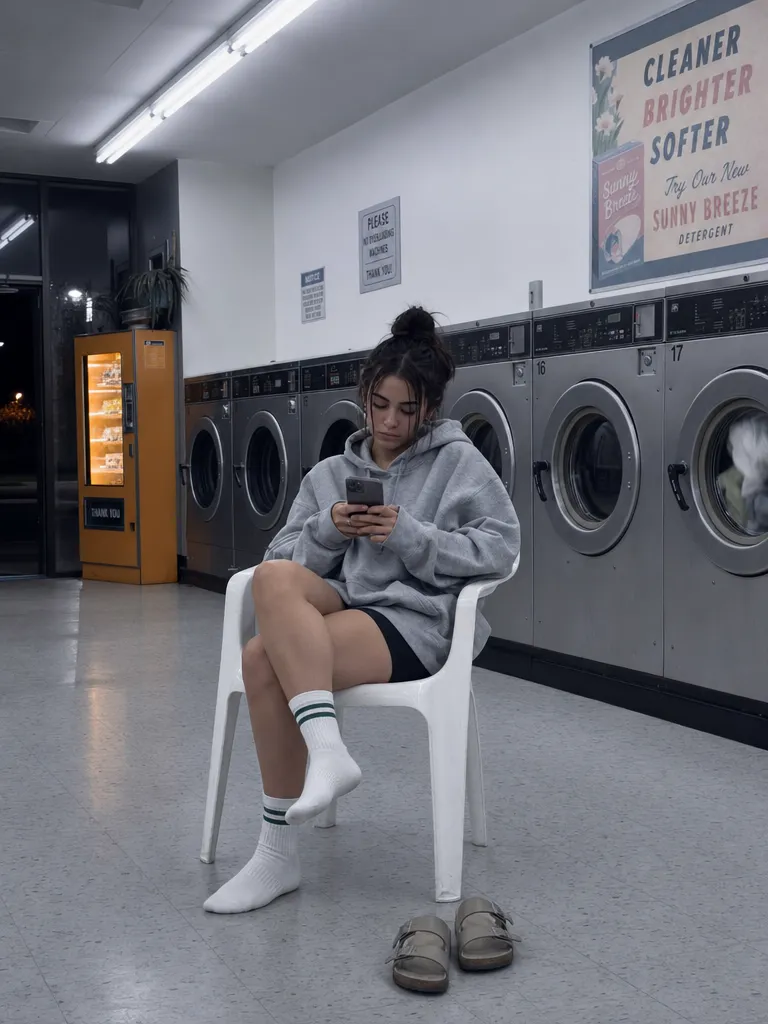
Late-night laundromat

Late-night laundromat

A person sits on a plastic chair in a deserted late-night laundromat reading a magazine. The neon sign above the front window glows "WASH & DRY" in pink cursive tubes. A handwritten cardboard sign taped to a dryer reads "OUT OF ORDER". Cool fluorescent interior, warm neon glow from outside.

Copy & use

Prompt templates

Product with price tag

A pair of white canvas sneakers on a light wood shelf in a minimalist shoe store. A small kraft paper price tag attached to the laces reads '$89'. Soft diffused lighting. Clean background. 1:1 square format.

Model: Seedream 5.0 · Resolution: 1024×1024 · Aspect: 1:1

Storefront sign

A cozy bookshop storefront with a dark green awning. Above the door, a painted wooden sign reads 'THE READING ROOM'. Warm light glows through the window. Potted plants on either side of the entrance. Evening setting.

Model: Seedream 5.0 · Resolution: 1024×768 · Aspect: 4:3

Sale banner for social

A vibrant flat-design banner with a bright coral background. Large white text reads 'SUMMER SALE' with '30% OFF' in slightly smaller text below. Geometric shapes and palm leaf illustrations in the corners. Clean, modern design.

Model: Seedream 5.0 · Resolution: 1024×1024 · Aspect: 1:1

Product label close-up

Close-up of a glass jar of artisanal honey on a wooden table. The label reads 'WILDFLOWER HONEY' in a rustic serif font with 'Net Wt. 12 oz' below. Golden honey visible through the clear glass. Natural daylight from the side.

Model: Seedream 5.0 · Resolution: 1024×1024 · Aspect: 1:1

Who it's for

Use cases

E-commerce product images with price tags

Generate product photography with visible price tags, "SALE" banners, or size labels. At Seedream 5.0's lower per-generation cost, you can produce hundreds of product image variants with pricing for A/B testing without breaking the budget.

Social media quote and text posts

Create shareable images with overlaid quotes, announcements, or short copy. Generate 10 variations with different backgrounds and text styles in minutes — pick the best one and post.

Storefront and signage mockups

Visualize store name concepts on realistic storefronts, or restaurant name options on building facades. Faster than Photoshop mockups for early-stage brainstorming where you want to see 20 options quickly.

Presentation slide visuals with labels

Generate diagrams, infographics, or concept images with labeled elements for presentations. The text doesn't need to be pixel-perfect — it needs to be readable in a slide deck context.

Compare

Text in Images: Seedream 5.0 vs GPT Image 2 vs Nano Banana Pro

Seedream 5.0GPT Image 2 / Nano Banana Pro
Text accuracyGood for short text (1–8 words). Occasional character errors on longer stringsGPT Image 2: ~99% accuracy. NB Pro: high accuracy with Gemini reasoning pre-planning
Cost per generationLower credit cost — suitable for batch generation of dozens/hundreds of imagesBoth cost more per generation — better suited for final deliverables
Generation speed3–8 seconds per image — fast iterationGPT Image 2: 10–15s. NB Pro with Thinking mode: 15–25s
Multilingual textBest with Latin alphabet. CJK support exists but less consistentNB Pro: strong CJK support. GPT Image 2: strong European languages
Best forBudget-conscious batch work: product images, social posts, concept explorationClient-facing deliverables, long text, multilingual, and accuracy-critical use cases
Get the best results

Tips & best practices

Keep text short — under 8 words per element

Seedream 5.0's text accuracy drops with length. Single words and short phrases ("OPEN", "SALE 30% OFF", "Baker & Co.") render reliably. Sentences and paragraphs are better handled by Nano Banana Pro or GPT Image 2.

Generate multiple variants for text-critical images

Even at high accuracy rates, any model can produce an occasional character error. For images where text correctness matters, generate 3–4 variants and select the cleanest. At Seedream 5.0's speed and cost, this is fast and cheap.

Use Seedream for concepts, premium models for finals

Seedream 5.0 is ideal for exploring 20 sign designs or 50 product label concepts quickly. Once you've chosen a direction, regenerate the winner with Nano Banana Pro or GPT Image 2 for guaranteed text accuracy in the deliverable.

Describe the surface, not just the text

"A sign that says 'HELLO'" gives less context than "A painted wooden sign hanging from chains that reads 'HELLO' in white sans-serif letters." The more physical context you provide, the better the model integrates text into the scene.

Community

Loved by creators worldwide

Join thousands of creators, agencies, and brands who use Sunra every day.

The quality jumped overnight

We switched our product video pipeline to Sunra last month. Kling 3.0 with native audio is genuinely usable for social ads now. Our team ships 30+ variations a week without touching After Effects.

MJ
Marcus Johansson
Head of Content, DTC Brand

Documentary pre-vis breakthrough

Pre-visualizing reenactments and archival sequences used to cost us 15% of every doc budget. Sunra lets me block scenes for free, then shoot only what matters.

PV
Priya Venkatesan
Documentary Producer

Character consistency is the win

Keeping the same character across a multi-scene piece used to be a nightmare. Sunra's consistency tools make it trivial. I'm writing actual episodic content now.

AO
Amara Ochieng
Narrative Creator

Nano Banana for product mockups

E-commerce team uses Nano Banana daily for product variants — different colors, backdrops, seasons. We killed our photoshoot retainer and the output looks better than the stock we were buying.

HR
Hannah Riedel
E-commerce Lead

Kling 3.0 outputs are production-ready

I stopped color-grading AI videos after I tried Sunra's Kling. The lighting and motion are consistent enough that I drop clips straight into Premiere and publish.

IM
Isabela Mendes
Brand Video Editor

Testing creative concepts at scale

We A/B test ad concepts before committing budget. Generate twenty variations, run them as dark posts, scale the winners. Attribution is crystal clear because production is almost free.

NK
Nadia Kuznetsova
Performance Marketer
FAQ

Questions & answers

Can Seedream 5.0 render text in images?
Yes. Seedream 5.0 generates legible text on signs, labels, tags, and other in-scene surfaces. It's most accurate with short text (1–8 words). For longer text or accuracy-critical work, consider Nano Banana Pro or GPT Image 2.
How does Seedream 5.0 text compare to GPT Image 2?
GPT Image 2 has higher text accuracy (~99%) and handles longer strings more reliably. Seedream 5.0's advantage is cost and speed — it generates faster and uses fewer credits, making it better for batch work and concept exploration where occasional character errors are acceptable.
How does Seedream 5.0 text compare to Nano Banana Pro?
Nano Banana Pro uses Gemini reasoning to pre-plan text layout, giving it higher accuracy especially for multilingual text. Seedream 5.0 is faster and cheaper — use it for drafts and batch generation, NB Pro for finals and multilingual work.
Is Seedream 5.0 good for CJK text (Chinese, Japanese, Korean)?
Seedream 5.0 can render CJK characters but is less consistent than with Latin alphabet text. For reliable CJK text rendering, Nano Banana Pro is the stronger choice due to its Gemini reasoning and multilingual training.
Why would I choose Seedream 5.0 over better text models?
Cost and speed. If you're generating 50 product images with price tags for A/B testing, Seedream 5.0 gets the job done at a fraction of the cost and time. Use the savings to generate more variants rather than paying for the highest accuracy on each one. See pricing.
How do I get the best text accuracy from Seedream 5.0?
Put exact text in quotation marks. Keep it short (1–8 words). Describe the surface context. Generate 3–4 variants and pick the best. See the best practices section above for detailed tips.
Can I edit text in a Seedream image after generation?
Seedream 5.0 itself doesn't have an editing mode. To fix text in a generated image, upload it to Nano Banana Pro's precision editing and describe the text correction needed.
Is Seedream 5.0 free to use?
Free daily credits on Sunra cover Seedream 5.0 generation. Because Seedream uses fewer credits per image than premium models, your free allocation covers more generations. See pricing for details.

Ready to create?

Start with free daily credits. No credit card required.