GPT Image 2 Image Editing

GPT Image 2 Image Editing

Upload an image and describe what you want changed. GPT Image 2 modifies the image based on your natural language instructions — swap objects, change backgrounds, alter lighting, adjust style — while preserving everything you didn't mention. Iterate through multiple rounds of edits in a single session.

AI image editing uses a generative model to modify an existing image based on text instructions rather than manual pixel manipulation. Unlike traditional editing tools where you select regions with lasso tools and apply filters, text-based editing lets you describe the change: "replace the sky with a sunset", "remove the person on the left", "make it look like a watercolor painting". The model understands both the image content and the instruction, modifying only the relevant regions while keeping the rest intact. Multi-turn editing extends this — you can make sequential edits to the same image, refining the result in steps.

What you can do

Natural language edit instructions

Describe edits in plain English: "change the wall color to sage green", "add a cat sitting on the windowsill", "remove the car from the background". No masking, no selection tools, no layer management. The model identifies what to change based on your description.
Multi-turn iterative editing

Make sequential edits in the same session. First pass: "change the background to a beach." Second pass: "make the sky more orange." Third pass: "add palm trees on the right." Each edit preserves the cumulative changes from previous rounds without starting over.

Object addition and removal

Add objects that weren't in the original image ("add a vase of flowers on the table") or remove unwanted elements ("remove the power lines"). Added objects cast appropriate shadows, match the scene lighting, and respect perspective. Removed objects leave clean, filled backgrounds.

Style transfer with content preservation

Transform the visual style while keeping the content: "convert to oil painting style", "make it look like a Wes Anderson film still", "apply anime aesthetic". GPT Image 2 changes the rendering style but maintains the original composition, subject identity, and spatial layout.

Lighting and atmosphere adjustment

Change the time of day ("make it nighttime with street lights on"), weather ("add rain and wet reflections on the ground"), or mood ("make the lighting warmer and cozier"). These changes cascade correctly — a nighttime edit adds shadows, turns on windows, and adjusts the color temperature.

Get started

How to use

1

Open Sunra Image Generator with GPT Image 2

Go to Sunra Image and select GPT Image 2 from the model dropdown.

2

Upload the image you want to edit

Click the image upload area or drag and drop your source image. GPT Image 2 accepts JPEG, PNG, and WebP. The image is displayed in the preview panel alongside the prompt field.

3

Describe your edit in the prompt

Write what you want changed — not a full scene description, just the edit instruction. Good: "Replace the blue chair with a red sofa." Bad: "A room with wooden floors, white walls, and a red sofa." Be specific about what changes and what stays.

4

Generate and compare with original

Click Generate. Use the before/after comparison to check that the edit was applied correctly and that unmentioned areas remain unchanged. Check edges where edits meet original content for blending artifacts.

5

Continue editing or start fresh

If the edit looks good but you want further changes, keep the result and write your next instruction. Each round builds on the previous. If the result went in a wrong direction, regenerate from the original image with a revised prompt.

Built for creators

Whether you're a solo creator, an agency, or a brand — every model adapts to how you work.

Café window portrait

Café window portrait

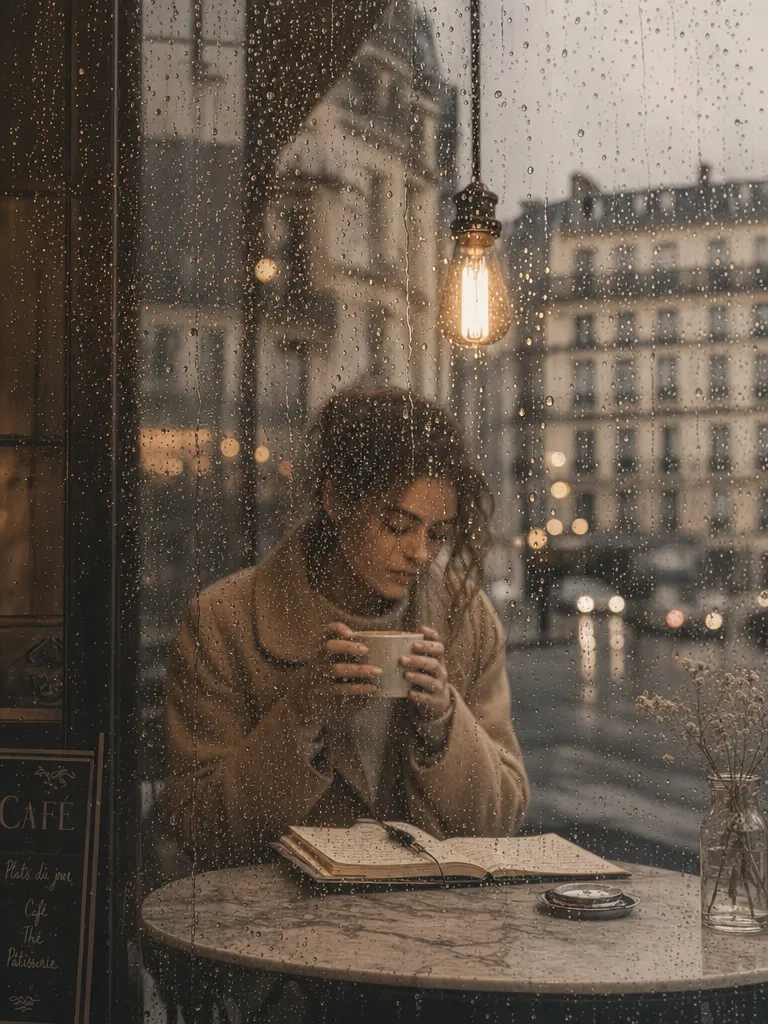
Change the view outside the window to a rainy Paris street with blurred car headlights and wet cobblestones. Keep the person and interior lighting exactly the same.

Record shop interior

Record shop interior

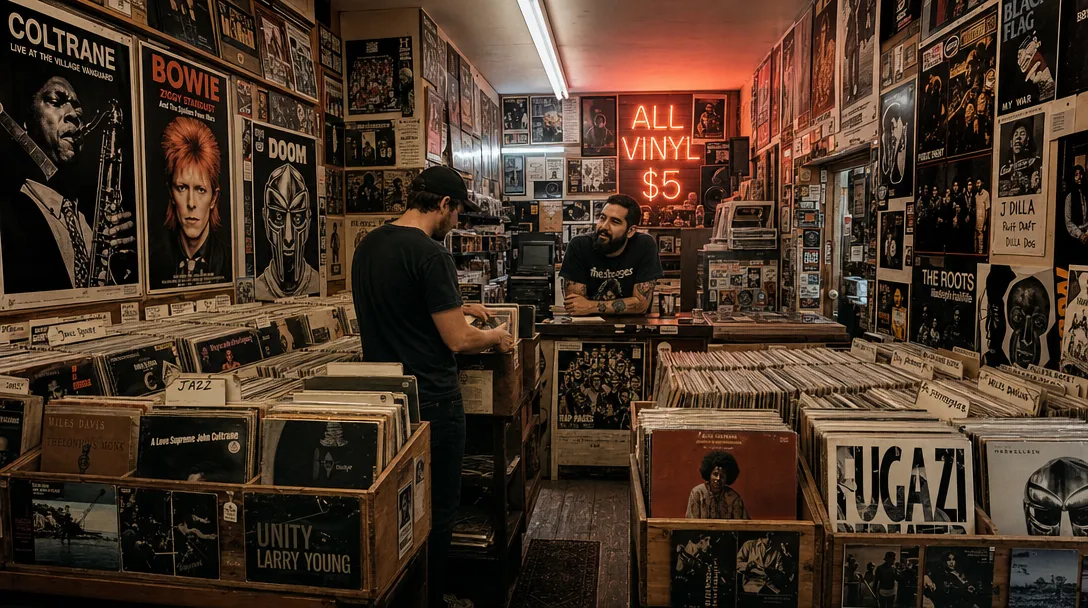
Add warm string lights hanging across the ceiling and a neon "NOW PLAYING" sign glowing in pink on the back wall. Keep all the vinyl records and shelves unchanged.

Mediterranean alley still life

Mediterranean alley still life

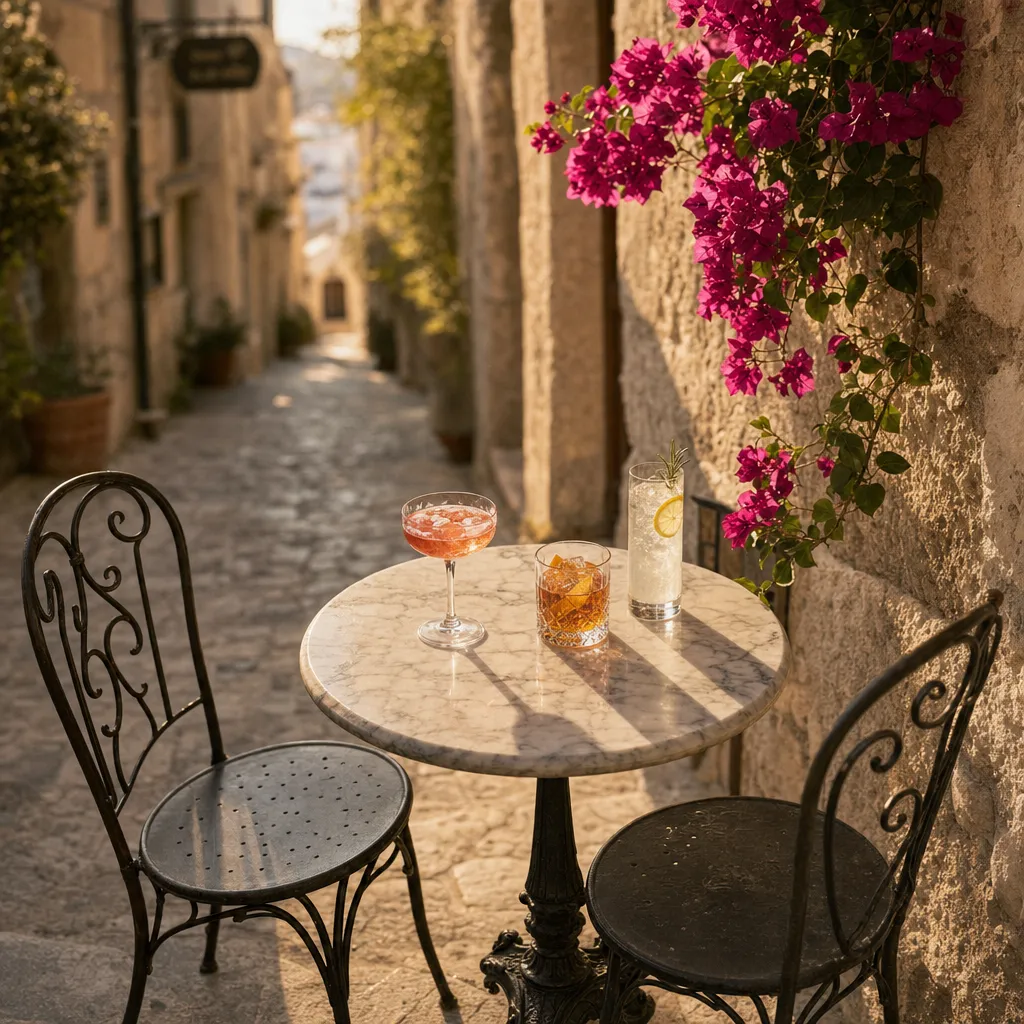
Replace the drinks on the table with a vase of fresh sunflowers and a stack of old books. Keep the Mediterranean alley background, table, and lighting the same.

Copy & use

Prompt templates

Background swap

Replace the background with a modern minimalist office. Keep the person and their clothing exactly as they are. Soft natural lighting from the left.

Model: GPT Image 2 · Mode: Edit · Source: portrait photo with busy background

Object replacement

Replace the coffee mug in her hand with a glass of iced tea. Keep the hand pose, lighting, and shadows consistent.

Model: GPT Image 2 · Mode: Edit · Source: lifestyle photo

Style transformation

Convert this photograph to a Studio Ghibli animation style. Keep the exact composition, poses, and expressions. Soft cel-shading, warm color palette, visible brush texture.

Model: GPT Image 2 · Mode: Edit · Source: family photo

Multi-turn editing sequence

Round 1: Change the sky to golden hour sunset.
Round 2: Add warm light reflections on the building windows.
Round 3: Add a few birds flying in the distance.

Model: GPT Image 2 · Mode: Edit · Sequential rounds on same image

Who it's for

Use cases

E-commerce product photo variations

Take a single product photo and generate dozens of variants: different background colors, seasonal themes ("add Christmas decorations around the product"), context shots ("place the bag on a café table"). One photo shoot produces an entire season of marketing assets.

Interior design visualization

Photograph a room and edit it to explore design options: "replace the hardwood floor with light gray tile", "change the curtains to floor-length linen", "paint the accent wall dark navy". Show clients multiple design directions from the same base photo without 3D rendering.

Photo restoration and enhancement

Fix common photo problems with text instructions: "remove the trash can from the background", "fix the overexposed sky", "remove the shadow across her face". Useful for wedding photographers, real estate agents, and anyone cleaning up good-but-imperfect shots.

Creative concept iteration for design teams

Designers upload a work-in-progress composition and rapidly test variations: "try the logo in gold instead of silver", "make the background more textured", "increase the contrast between foreground and background". Reduces the Photoshop round-trip time from minutes to seconds per iteration.

Compare

AI Image Editing: GPT Image 2 vs Alternatives

GPT Image 2 EditingOther Tools
Edit interfaceNatural language instructions — describe the change in wordsPhotoshop AI: text + manual selection hybrid. Canva: template-based with limited AI fills. Nano Banana Pro: natural language, similar to GPT Image 2
Multi-turn editingSequential edits in one session, each building on the lastMost tools treat each edit independently. Photoshop preserves layers but requires manual management
Content understandingUnderstands scene context — added objects match perspective, lighting, shadows automaticallyPhotoshop generative fill: good context matching. Canva: limited scene awareness. Basic inpainting tools: no context
Precision for pixel-level editsBest for semantic edits (change object, swap style). Less precise for exact pixel-level adjustments like 2px border changesPhotoshop: unmatched for pixel-precision. Figma: precise for UI elements
Cost and accessFree daily credits on Sunra. No software install. Pay per edit beyond free tierPhotoshop: $22.99/mo subscription + learning curve. Canva Pro: $12.99/mo. Nano Banana Pro: free credits on Sunra
Get the best results

Tips & best practices

Be specific about what should change — and what shouldn't

Write "change the shirt color to navy blue" not "make it look better". Ambiguous instructions produce unpredictable results. If you want to preserve specific elements, say so: "keep the face, hair, and background exactly the same."

Make one edit per round for best results

Multi-turn editing works best when each round focuses on a single change. "Change the background AND swap the shirt AND add a hat" in one prompt is less reliable than three sequential single-edit rounds. Each focused edit gives you a checkpoint to evaluate before continuing.

Complex spatial edits may need a different tool

GPT Image 2 excels at semantic edits — things described in words ("replace", "remove", "change style"). For precise geometric operations (rotating an object exactly 15 degrees, aligning elements to a grid, pixel-perfect masking), traditional tools like Photoshop are more appropriate.

Use high-resolution source images

Editing works better on high-resolution inputs (1024px+). Low-resolution images may produce soft or artifact-heavy results in edited regions, especially when adding detailed objects. If your source is small, consider upscaling it first.

Community

Loved by creators worldwide

Join thousands of creators, agencies, and brands who use Sunra every day.

Built our TikTok presence from zero

Brand new account, three videos a day, all on Sunra. Hit 50k followers in four months. The variety lets us test hooks constantly without burning out on production.

SC
Sofia Castellanos
TikTok Creator

The side-by-side model compare sold me

Running the same prompt across Sora, Kling, and Veo in one view is genius. I pick the winner per scene instead of committing to one tool and hoping.

YM
Yuki Matsumoto
Postproduction Supervisor

Onboarded my junior in one afternoon

New hire generated her first client-ready clip on day one. The learning curve that used to scare off non-video people just isn't there.

VL
Victor Lindqvist
Studio Manager

Thumbnails, hero shots, b-roll, done

I run a YouTube channel solo. Sunra handles everything I used to outsource: thumbnails, intro b-roll, cutaways. My retention is up and my freelancer bill is zero.

TK
Trevor Kim
Solo YouTuber

Kling 3.0 outputs are production-ready

I stopped color-grading AI videos after I tried Sunra's Kling. The lighting and motion are consistent enough that I drop clips straight into Premiere and publish.

IM
Isabela Mendes
Brand Video Editor

Client deliverables look premium

My clients don't know it's AI. They see the final product, compare it to what they got from their previous agency, and ask me to come in-house. Not taking the offer.

NB
Naomi Blackwell
Freelance Content Studio
FAQ

Questions & answers

What is AI image editing?
AI image editing uses a generative model to modify existing images based on text descriptions instead of manual pixel manipulation. You describe the change ("remove the background", "change the color to blue") and the model applies it. Try it with GPT Image 2 on Sunra.
How is GPT Image 2 editing different from Photoshop?
GPT Image 2 understands instructions in plain English — you describe the edit and it's applied automatically. Photoshop requires manual selection, masking, and tool knowledge. GPT Image 2 is faster for semantic edits (swap objects, change style). Photoshop is better for pixel-precise control. They complement each other. See the comparison table above.
Can I make multiple edits to the same image?
Yes. GPT Image 2 supports multi-turn editing — each edit builds on the previous result. Change the background first, then adjust the lighting, then add objects. Each round preserves your cumulative changes. Start editing at Sunra Image.
Does editing change parts of the image I didn't mention?
GPT Image 2 aims to modify only what you describe and leave everything else intact. In practice, areas immediately adjacent to the edit may show minor changes due to blending. Being explicit ("keep everything else exactly the same") helps minimize unintended changes. See best practices above.
What edits work well with GPT Image 2?
Best results: object swaps, background replacement, style transfer, color changes, adding/removing objects, lighting adjustment. More challenging: precise geometric operations, tiny pixel-level corrections, complex multi-object rearrangements. Try different edit types on Sunra.
How does GPT Image 2 editing compare to Nano Banana Pro?
Nano Banana Pro also supports natural-language image editing with similar capabilities. GPT Image 2 tends to be stronger at multi-turn iteration and complex style transfers. Nano Banana Pro is often faster and handles simple object edits well. Both are available on Sunra — try both with the same image to compare.
Can I edit AI-generated images or only photos?
Both. Upload any image — photographs, AI-generated images, illustrations, screenshots, digital art. GPT Image 2 works the same regardless of source. You can generate an image with Midjourney V8 or Seedream 5, then refine it with GPT Image 2 editing.
Is GPT Image 2 image editing free?
Yes. Free daily credits on Sunra cover GPT Image 2 editing. Each edit round costs the same as a standard generation. See pricing for subscription details with higher limits.

Ready to create?

Start with free daily credits. No credit card required.