Muse: portraits & fashion photos
Sunra Muse turns a selfie into ultra-realistic fashion portraits that keep your face. How it works, the eight styles, batch presets, couple mode, and getting the best result.
Muse is Sunra's guided portrait pipeline. You upload a selfie, pick a style, and Muse generates ultra-realistic fashion photos that keep your face while transforming everything else — hair, makeup, outfit, and scene. It's powered by GPT Image 2, tuned for identity-preserving portraits.
Unlike the open-ended image generator, Muse is a set of curated looks: no prompt writing, just a style to choose. Upload once, then generate as many looks as you like.
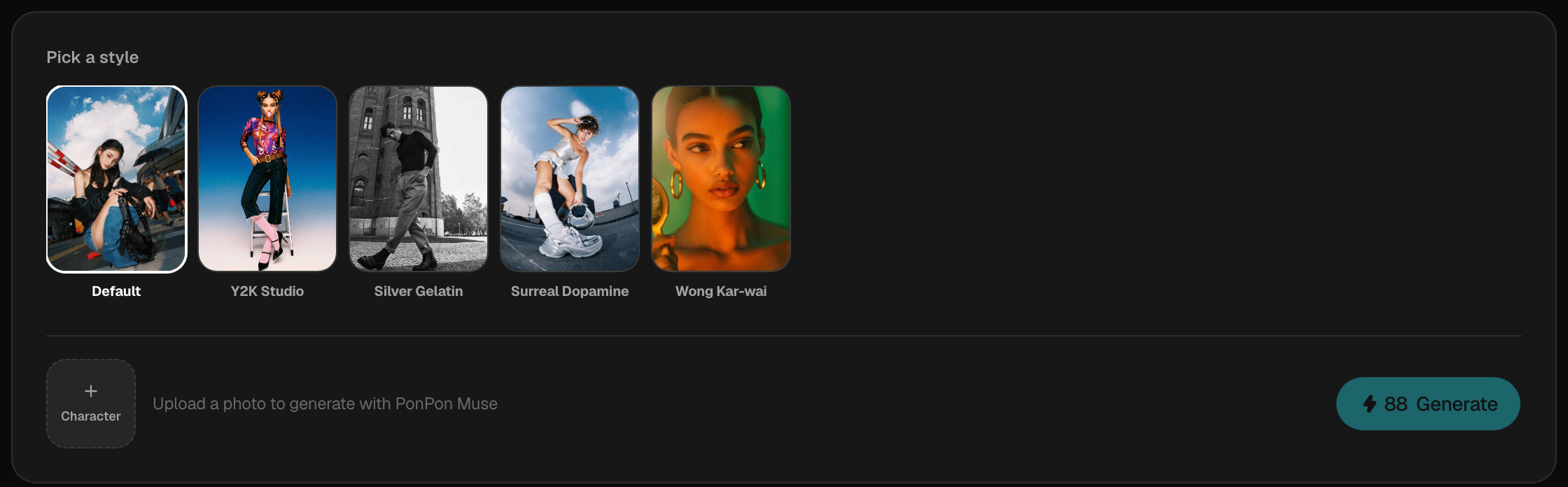
How it works
- Open Muse and upload a clear selfie. Muse validates that the photo has a clear, unobstructed face before it runs.
- Pick a style — one of the eight curated looks, or a batch preset.
- Generate. A batch preset returns four coordinated looks in seconds; results land in your gallery to reuse or edit.
The eight styles
| Style | Look |
|---|---|
| Y2K Street | Vintage 35mm street photography |
| Y2K Studio | Magazine editorial |
| Silver Gelatin | Fine-art black & white |
| Surreal Dopamine | Hyper-saturated, bold colors |
| Wong Kar-wai | Moody 90s Hong Kong cinematic |
| Gala / Home / B&W | Three couple modes |
Each style has its own aesthetic DNA, so the same selfie reads completely differently from one to the next. Batch presets like Tokyo Drift, Night Leopard, Classic Y2K, and Glossy Studio bundle a coordinated set in one go.
Couple mode
The Gala, Home, and B&W modes are built for two people. Upload two photos (the pipeline uses gender detection to pair them correctly) and Muse stages both faces in a shared scene — a 1920s gala ballroom, a cozy domestic snapshot, or a fine-art B&W studio portrait. Outfits and interactions are varied automatically, so each run feels fresh.
Get the best result
The input selfie does most of the work:
- Use a clear, front-facing photo with even lighting and your face fully visible.
- Avoid sunglasses, heavy shadows, or extreme angles — Muse needs strong facial detail to preserve identity, and the upload check will flag a face it can't read.
- For couple modes, make sure both faces are sharp and unobscured.
Muse vs the image generator
Reach for Muse when you want a polished, on-trend portrait with zero prompt writing. Reach for the image generator when you want full control — your own prompt, model, composition, and lighting. For that path, start with Image generation basics and Prompting for images.
Related articles
- Image generation basicsWrite a good image prompt, choose between models like GPT Image 2, Nano Banana Pro and Seedream 5.0, use reference images, and edit results with the annotate tools.
- Prompting for imagesA practical method for AI image prompts on Sunra: a reliable structure, weak-to-strong rewrites, the style and lighting vocabulary models understand, references, and fixes.
- Choosing a modelHow to pick the right AI model on Sunra: what each image and video model is best at, a quick decision table, a worked comparison, head-to-head matchups, and Fast vs Pro tiers.