Prompting for images
A practical method for AI image prompts on Sunra: a reliable structure, weak-to-strong rewrites, the style and lighting vocabulary models understand, references, and fixes.
A good image prompt reads like a brief you'd hand a photographer or illustrator: what's in frame, the style, how it's composed, and how it's lit. Cover those four and you'll get a usable image far more often than with a one-word prompt.
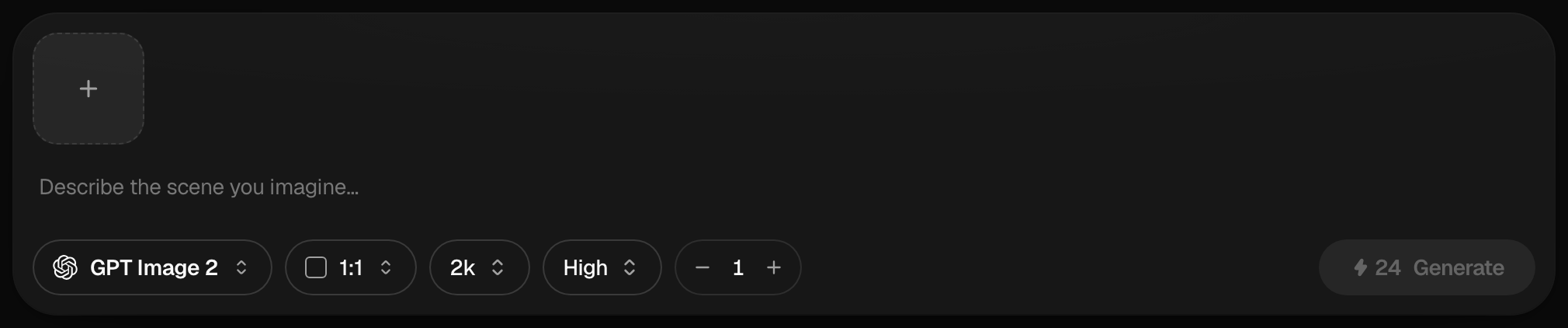
A reliable structure
Write in this order — it mirrors how a shot is actually planned:
- Subject — what's in frame, specific. "A ceramic coffee cup on a linen napkin."
- Style — the medium and treatment. "Editorial product photo," "flat vector illustration," "3D render," "watercolor."
- Composition — framing and angle. "Close-up, top-down, centered, shallow depth of field."
- Light & mood — "Soft morning light," "neon night," "studio softbox, high-key."
Editorial product photo of a matte-black wireless earbud case on a wet stone surface, top-down, shallow depth of field, soft diffused studio light, minimalist, cool tones.
From weak to strong
The same idea, sharpened by adding subject specificity, then style, then light:
| Prompt | Result |
|---|---|
| "a coffee cup" | A generic cup, random style and lighting |
| "a ceramic coffee cup on a linen napkin" | Right subject, but flat and styleless |
| "editorial photo of a ceramic coffee cup on a linen napkin, close-up" | On-brief composition |
| "editorial photo of a ceramic coffee cup on a linen napkin, close-up, soft morning window light, shallow depth of field" | The shot you actually wanted |
Each added clause removes a decision the model would otherwise make for you.
Vocabulary the models understand
Reach for concrete terms instead of vague adjectives — models map these to real visual patterns:
- Medium — photo, illustration, 3D render, oil painting, line art, isometric, claymation.
- Shot & lens — close-up, wide shot, macro, top-down, eye-level, 35mm, bokeh, fisheye.
- Light — golden hour, backlit, rim light, softbox, hard shadow, high-key, low-key.
- Mood / palette — muted pastels, high-contrast, monochrome, warm tones, cinematic.
Say what you want, not what you don't
Models handle positive descriptions far better than negations. Ask for "an empty, minimalist desk," not "a desk with nothing on it." If you'll add text or a logo on top later, prompt for negative space — "lots of empty sky above" — rather than describing what shouldn't be there.
Work from reference images
Attach up to 10 reference images to guide style, composition, or a specific subject. While writing the prompt, type @ to point at a specific attached image:
Put @Image1 on the table in @Image2, matching the lighting of @Image2.
It's the cleanest way to combine several references into one shot — see Annotate edits & reference images for the full reference and editing workflow.
Match the prompt to the model
The same prompt carries across models, but each rewards a slightly different emphasis:
- GPT Image 2 — spell out any in-image text exactly, in quotes; it renders words more reliably than the rest.
- Seedream 5.0 — lean into photoreal detail (skin, gaze, depth); it reasons about realism well and also handles text in images.
- Midjourney V8 — give it mood and style words; it leans cinematic and painterly by default.
- Nano Banana Pro — for precision edits, describe just the change ("make the jacket red"); it edits locally without a mask, and is also strong at in-image text.
a neon sign reading "OPEN 24 HOURS". See GPT Image 2 text rendering.Not sure which to use? Choosing a model breaks down all of them.
--ar, --v, or --style into the prompt — Sunra parses them as words and the model rejects the whole generation. Use the aspect-ratio, version, and style controls in the prompt bar instead.Fixing common problems
| Problem | Try this |
|---|---|
| Garbled text in the image | Switch to GPT Image 2; put the exact words in quotes |
| Wrong subject emphasis | Put the subject first; cut background clutter from the prompt |
| Inconsistent character across images | Use a reference image and a consistency-strong model like Nano Banana Pro |
| Almost right, one detail off | Don't re-roll — edit the result or annotate-and-edit just that area |
| Style keeps drifting | Name the medium explicitly and provide a reference image |
Iterate deliberately
Change one variable at a time — model, then light, then composition — so you learn what each move does. When a batch is close, switch to editing rather than rewriting the whole prompt: fix a word with text edit, change the camera with multi-angle, or refine the background instead of starting over.
Ready to carry these instincts into motion? Read Prompting for video.
Related articles
- Image generation basicsWrite a good image prompt, choose between models like GPT Image 2, Nano Banana Pro and Seedream 5.0, use reference images, and edit results with the annotate tools.
- Prompting for videoA practical method for AI video prompts on Sunra: shot structure, the camera presets the models understand, pacing, model-specific tips, and fixing common failures.
- Choosing a modelHow to pick the right AI model on Sunra: what each image and video model is best at, a quick decision table, a worked comparison, head-to-head matchups, and Fast vs Pro tiers.