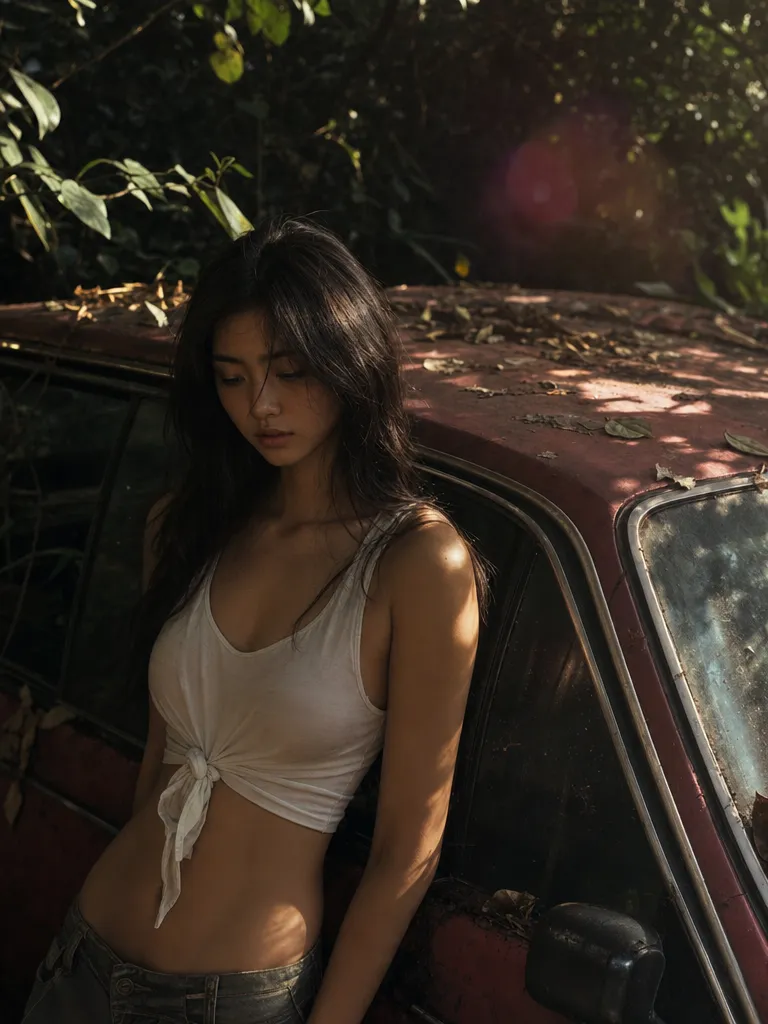
True-color precision
GPT Image 1.5 preserves brand palettes. Hex codes in the prompt come back as the exact swatches — critical for logos, packaging, and ad units.

Generate GPT Image 1.5 images on Sunra — OpenAI's image model with true-color output, instruction-following, and native text in images. Free daily credits.
Try GPT Image 1.5$0.052/ image
High quality · Creator annual, with full credit use.
$63.00/month, billed $756.00/year.
MCP uses plan credits. API is billed separately.
USD per image · 1:1
| Platform / plan | USD | |
|---|---|---|
 Sunra MCPCreator annual | High: $0.052Medium: $0.015Low: $0.004 | |
 falAPI | High: $0.13 | |
 OpenArtWonder, yearly | High: $0.15 | |
 HiggsfieldUltra 9K, yearly | High: $0.18 |
Creator includes 17,000 credits a month for $756.00 a year. One image at these settings uses 14 credits.
Plan figures assume you use every included credit; they are not a price for one image. Extra credits, discounts and unlimited allowances are not counted, and other settings change the price.
The Sunra API bills a separate pay-as-you-go balance. See the API quickstart and pricing documentation.
Prices come from official pricing pages, model documentation and public generator quotes at matching settings. Offers may change. Compare other settings in the MCP cost calculator.
True-color rendering, obedient instructions, and legible text inside the image. GPT Image 1.5 is the one you reach for when the brief is detailed and the client is particular.
GPT Image 1.5 preserves brand palettes. Hex codes in the prompt come back as the exact swatches — critical for logos, packaging, and ad units.

Multi-step prompts ('A holds B while C walks behind, seen from above') resolve into a coherent scene instead of a blend of partial matches.

Signage, labels, handwritten notes, book covers — GPT Image 1.5 renders characters you can actually read, in the fonts you asked for. For even sharper text accuracy, see GPT Image 2 or try the text-in-image editor.

Edges stay clean and palettes stay flat when you want them to. Easier to vectorize, easier to drop into a layout without color-correction work.
Sign in, and Sunra opens with GPT Image 1.5 already picked. New accounts start with free daily credits, no card needed.
Optional: add a photo to edit, or reference images for a style, a product or a face to keep. Text alone works too.
Say what is in the frame, the style, the light and the framing. Put any words that should appear in the image in quotes.
Pick the aspect ratio, then generate. Results land in your project: keep the best one, edit it with a follow-up prompt, or turn it into a video.
No. GPT Image 1.5 is OpenAI's current-generation image model and the successor to DALL·E. It inherits instruction-following from the GPT series and is noticeably better at text inside images.
GPT Image 2 is the newer model with better composition stability and subject fidelity across edits. GPT Image 1.5 remains strong on true-color precision and clean vector output. GPT Image 2 is the default recommendation; use 1.5 when you need the flattest, cleanest edges for vectorization.
Yes — pass hex codes in the prompt. GPT Image 1.5 respects exact color specifications more reliably than most competitors.
GPT Image 1.5 is sharpest on instruction-following, text rendering, and brand-color accuracy. Nano Banana Pro leads on precision localized edits and style blending from reference images. Often used together.
GPT Image 1.5 excels at brand-color fidelity, text rendering, and clean vector output. Seedream 5.0 leads on visual reasoning, multi-subject coherence, and photoreal skin/fabric textures. Use 1.5 for brand work; use 5.0 for editorial realism.
Yes. Upload an image and describe the edit — GPT Image 1.5 can modify, restyle, or recompose while keeping the source-material intent.
Yes. Sunra output is licensed for commercial use under our terms of service.
Free daily credits include GPT Image 1.5. Heavier usage rolls onto your wallet balance or subscription allowance. No credit card required to start.
Yes. After generating an image, click the Image to Video button to animate it using models like Kling 3.0 or Seedance 2.0. No downloads or re-uploads needed.
GPT Image 1.5 generates at up to 4K resolution natively. For even larger output, chain with the Image Upscale tool on Sunra.