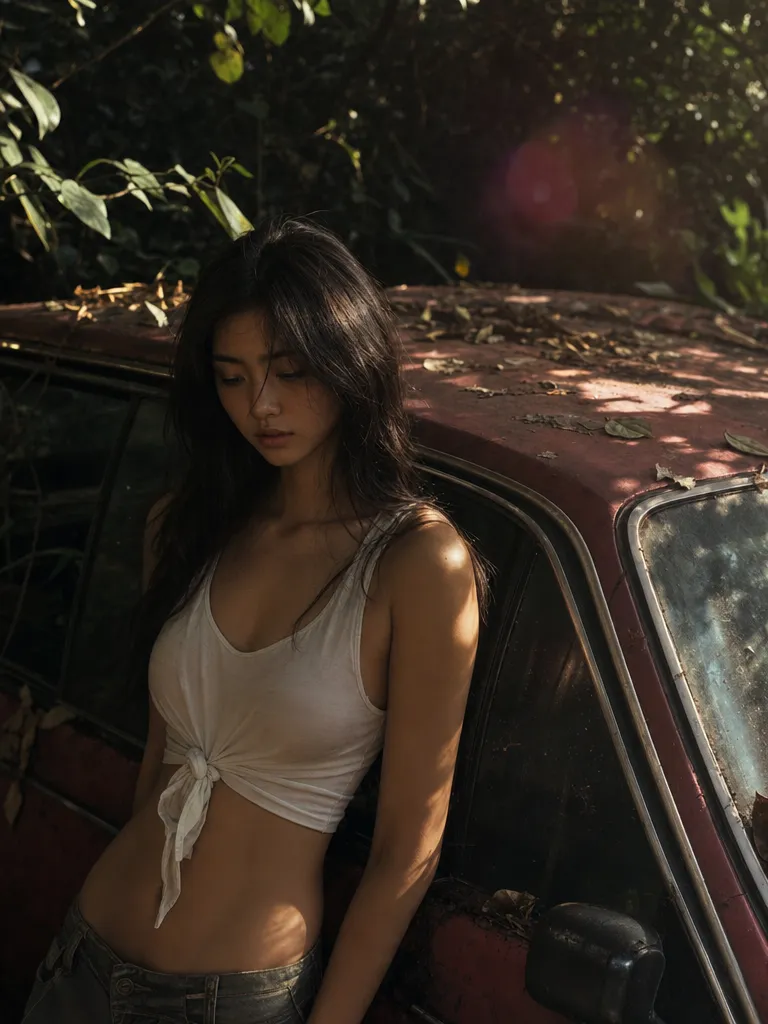
4 credits a render — half of Nano Banana 2
Every Lite render costs 4 credits against Nano Banana 2's 8 and Nano Banana Pro's 15. Same free daily credits, roughly double the renders out of them. The arithmetic is the whole point of this tier.

Run Nano Banana 2 Lite free on Sunra. Google's lightest Gemini image model — 4 credits a render, 1K output, and 14 aspect ratios from 21:9 down to 8:1.
Try Nano Banana 2 Lite$0.015/ image
1K · Creator annual, with full credit use.
$63.00/month, billed $756.00/year.
MCP uses plan credits. API is billed separately.
USD per image · 1K · 1:1
| Platform / plan | USD | |
|---|---|---|
 Sunra MCPCreator annual | 1K: $0.015 | |
 OpenArtWonder, yearly | 1K: $0.025 | |
 HiggsfieldUltra 9K, yearly | 1K: $0.03 | |
 falAPI | 1K: $0.042 |
Creator includes 17,000 credits a month for $756.00 a year. One image at these settings uses 4 credits.
Plan figures assume you use every included credit; they are not a price for one image. Extra credits, discounts and unlimited allowances are not counted, and other settings change the price.
The Sunra API bills a separate pay-as-you-go balance. See the API quickstart and pricing documentation.
Prices come from official pricing pages, model documentation and public generator quotes at matching settings. Offers may change. Compare other settings in the MCP cost calculator.
Half the credits of Nano Banana 2, capped at 1K. Built for the work you do a hundred times a day — drafts, variants, thumbnails — not the one hero shot you print.
Every Lite render costs 4 credits against Nano Banana 2's 8 and Nano Banana Pro's 15. Same free daily credits, roughly double the renders out of them. The arithmetic is the whole point of this tier.

Lite renders at 1K only — no 2K, no 4K, no upscale path inside the model. Google caps it there and Sunra doesn't pretend otherwise. If you need print resolution, Nano Banana Pro goes to 4K; if you need a middle gear, Nano Banana 2 covers 0.5K through 4K. Need to enlarge a Lite render after the fact? Run it through Image Upscale.

21:9, 9:16, 5:4, 4:5 — plus 4:1, 8:1, 1:4 and 1:8 for site headers, sidebar rails, and banner slots that normally mean cropping a square down to nothing. Ask for 8:1 and Lite composes for 8:1, leaving the negative space where your headline goes.

Upload an image, describe the change in a sentence, skip the masking. Lite inherits Nano Banana's prompt-driven editing — it works out which region you meant. Where it gives ground to its siblings is dense multi-clause instructions, not the everyday one-thing-at-a-time edit.
Sign in, and Sunra opens with Nano Banana 2 Lite already picked. New accounts start with free daily credits, no card needed.
Optional: add a photo to edit, or reference images for a style, a product or a face to keep. Text alone works too.
Say what is in the frame, the style, the light and the framing. Put any words that should appear in the image in quotes.
Pick the aspect ratio, then generate. Results land in your project: keep the best one, edit it with a follow-up prompt, or turn it into a video.
It's Google's gemini-3.1-flash-lite-image — the stripped-down member of the Nano Banana family, sitting below Nano Banana 2 and Nano Banana Pro. It generates and edits images at 1K for 4 credits a render. Same family, smaller engine, lower fare.
On Sunra, yes — free daily credits cover it, no card required. At 4 credits a render you get roughly twice as many images out of the same daily allowance as Nano Banana 2. Going through Google directly means a Vertex AI project and per-image billing instead. Heavier use here rolls onto your wallet or a subscription allowance.
Lite for volume, Nano Banana 2 for finals. Lite is half the credits but capped at 1K and less sure-footed on long multi-part instructions. Nano Banana 2 goes to 4K and holds up better on complex edits. The usual pattern: draft on Lite, re-run the keeper on Nano Banana 2.
1K, and only 1K — Google's endpoint rejects anything else, so there's no hidden 2K or 4K to unlock. That's plenty for social, web, and thumbnails. For print or large format, use Nano Banana Pro at 4K, or push a Lite render through Image Upscale afterwards.
4 credits per image, flat — no resolution tiers to complicate it, since there's only one resolution. Compare Nano Banana 2 at 8 and Nano Banana Pro at 15. Free daily credits include Lite; see pricing for what a subscription allowance buys.
Both. Upload an image, describe the change, and Lite works out the region — no masks or selection tools. Its editing follows the same prompt grammar as the rest of the family; it just gives ground on instructions that stack several changes into one sentence.
Fourteen: 21:9, 16:9, 3:2, 4:3, 5:4, 1:1, 4:5, 3:4, 2:3, 9:16, plus the panoramic and columnar 4:1, 8:1, 1:4 and 1:8. The extreme ones are genuinely useful for site headers and banner slots — Lite composes for the shape rather than centring a square and letting you crop.
Both are entry-tier image models. GPT Image 1.5 leans towards text rendering and brand-colour accuracy; Lite leans towards the Nano Banana editing style and the wider ratio list. If you're already working in the Nano Banana family, Lite keeps your prompts portable across tiers.
Yes. Everything you generate on Sunra is licensed for commercial use under our terms of service — no extra fee for the Lite tier.
Yes. Hit Image to Video on any render and animate it with Kling 3.0 or Seedance 2.0. Drafting stills cheaply on Lite before committing to a video render is a reasonable way to work.
Start with free daily credits. No credit card required.